How to Use the New BISP 8171 Portal (2025 Update) — Best Complete Guide to check eligibility, track payments, update profiles, and avoid common errors easily.
The BISP 8171 Portal 2025 has brought significant changes for beneficiaries across Pakistan. If you’re wondering how to navigate this new system, you’re not alone. Millions of women from rural Sindh, Balochistan, Punjab, and even Gilgit-Baltistan have faced confusion after the November 2025 update. Imagine a woman in Thar, Sindh, eagerly trying to check her BISP payment, only to find the old steps no longer work. It can be frustrating, stressful, and confusing. Aam logon ki zindagi easy bnay, isi niyat se yeh guide bnai gayi hai.
This guide will take you step-by-step through the new BISP 8171 portal, covering everything from accessing the website, updating your profile, checking eligibility, tracking payments, and avoiding common mistakes. By the end, you’ll feel confident using the portal without second-guessing or relying on someone else.
Over the years, the portal has gone through multiple updates. Each update aimed to make the process faster, more secure, and more transparent. But every time, the interface changes, and beneficiaries have to relearn steps. Based on our experience and real feedback from users, this 2025 guide ensures you won’t be left guessing. We’ll also share real stories from Sindh and GB to show how these steps can make a difference in everyday life.
What’s New in the BISP 8171 Portal (November 2025 Update)?
The November 2025 update has completely redesigned the portal interface. Some of the most important changes include:
- Faster response times: Previously, it could take up to 10 minutes to verify a CNIC or check payment. Now, results appear within 5 seconds. “Pehle 10 min wait hota tha, ab 5 seconds me result aa jata hai.”
- Digital wallet preview: Users can now see their upcoming payments and transaction history at a glance.
- QR verification feature: A new anti-fraud mechanism to confirm your identity during transactions.
- Improved security: Updated encryption and OTP verification for safer access.
- Payment tracking enhancements: You can now track payments by channel — EasyPaisa, JazzCash, or bank transfer — without confusion.
Old vs. New Portal Comparison:
- Old portal: Slow, confusing layout, minimal guidance, frequent errors.
- New portal: Clean interface, step-by-step guidance, faster verification, and QR support.
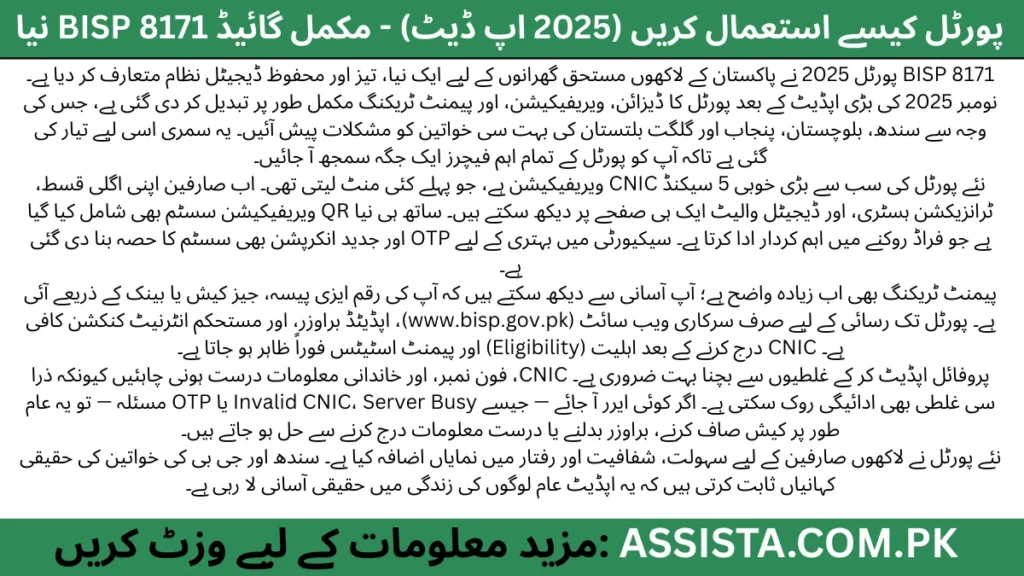
These improvements are based on official BISP criteria and feedback from beneficiaries. The portal is now designed not just for access but for transparency and reliability.
How to Access the BISP 8171 Portal (Step-by-Step)
Accessing the official BISP portal is simple if you follow the right steps. Here’s a complete guide for mobile and desktop users:
Step 1: Official URL
Always use the official link: www.bisp.gov.pk. Avoid any unofficial websites claiming to offer BISP services. Fake portals are common, so this step is crucial.
Step 2: Browser Recommendations
Use Google Chrome, Firefox, or Edge for the smoothest experience. “Zyada tar log Opera ya UC Browser use karte hain jis se errors aate hain.” Mobile users should update their browsers to the latest version to avoid compatibility issues.
Step 3: Network Requirements
A stable internet connection is key. Mobile data usually works fine, but in areas with weak signals, try switching to Wi-Fi for better reliability.
Step 4: Login or Guest Access
You can check eligibility or payments by entering your CNIC without logging in. For profile updates, you’ll need OTP verification via your registered phone number.
Common Mistakes to Avoid:
- Typing CNIC without dashes or spaces.
- Using outdated browsers or unsupported devices.
- Trying to access the portal via unofficial links.
Following these steps ensures safe and smooth access to the BISP 8171 Portal 2025.
Creating or Updating Your BISP Profile (New Features 2025)
The profile section is one of the most critical parts of the portal. Errors here can block eligibility or delay payments. The 2025 update has made the process easier but still requires attention to detail.
Step-by-Step Profile Creation/Update:
- Enter your CNIC as printed on your ID.
- Verify your phone number via OTP.
- Fill in family information carefully — spouse, children, and household members.
- Check all mandatory fields — sometimes even missing a single field can halt payment processing.
- Review the digital proofs or documents upload section if required.
Key Tips:
- Double-check CNIC and phone numbers. Mistakes are the most common reason payments are blocked.
- Make sure family info matches official records — any mismatch may trigger “Under Review” status.
- Use the portal on a desktop for initial profile setup if mobile causes issues.
“Profile me aik choti ghalti bhi payment rok deti hai — logon ko yeh baat pata nahi hoti.” Many beneficiaries have lost months of payments simply because of a missing or wrong detail.
The new portal now highlights fields that were previously ignored, making it easier to see which parts are incomplete. This proactive guidance saves time and ensures beneficiaries stay eligible.
How to Check BISP 8171 Eligibility on the New Portal
One of the most common questions from beneficiaries is: “Am I eligible for BISP payments?” The 2025 update has made this process simpler and faster.
Step-by-Step Eligibility Check:
- Visit the official portal: www.bisp.gov.pk.
- Enter your CNIC number (without dashes or spaces).
- Click on “Check Eligibility.”
- Wait for the result — usually under 5 seconds.
Understanding Status Results:
- Eligible: You qualify for the current cycle payment.
- Not Eligible: Either your income exceeds the BISP threshold or data mismatch exists.
- Under Review: Your profile needs verification; usually, missing family info or document mismatch.
- Pending: Payment will be processed in the next cycle.
Root Causes for Rejection:
- Incorrect CNIC or profile information.
- Missing or mismatched family data.
- Previous payments flagged for review due to errors.
“Log dayeen baayen ghoomtay hain, is liye yahan simple steps diye ja rahe hain.” Following these steps carefully ensures you know your eligibility status without confusion.
How to Check BISP Payment Status (2025 Method)
Knowing whether your payment has arrived is crucial. The updated portal allows real-time payment tracking.
Step-by-Step Payment Check:
- Go to the official portal.
- Enter your CNIC number.
- Select the month you want to check.
- Click “Check Payment Status.”
Payment Status Interpretation:
- Paid: Payment completed; details show channel (EasyPaisa, JazzCash, bank).
- No Payment Found: Could be due to eligibility review, wrong CNIC entry, or delay in disbursement.
Tips to Solve “No Payment Found”:
- Double-check your CNIC.
- Confirm your profile is updated and verified.
- Contact the nearest BISP office if the problem persists.
“Paisa aya ya nahi — har ghar ka sabse bara sawal yehi hota hai.” With the new portal, you can track payments in minutes rather than waiting for SMS confirmations alone.
New Error Messages & How to Fix Them (2025)
The new portal is faster and more secure, but errors can still occur. Knowing the solutions saves a lot of stress.
Common Errors & Fixes:
- Invalid CNIC: Re-enter your CNIC correctly; check for missing digits.
- Server Busy: Refresh or try after a few minutes; peak hours can overload servers.
- OTP Not Received: Ensure your phone is registered and has network access.
- Data Mismatch: Update your profile with accurate family info and CNIC details.
Pro Tips:
- Clear browser cache and cookies before logging in.
- Avoid using outdated browsers or unsupported mobile apps.
“Yeh errors dekh kar tension hoti hai — magar 80% errors simple steps se fix ho jate hain.” By following these quick fixes, most portal problems are resolved without visiting a BISP office.
How to Use the New QR Verification Feature
The QR verification system is one of the most significant security upgrades in the 2025 portal. It’s designed to prevent fraud and confirm your identity quickly.
Step-by-Step QR Verification:
- After logging in, click “QR Verification.”
- Scan the QR code using your registered phone.
- Wait for verification — it usually confirms within seconds.
- Upon success, you’ll see a confirmation message linked to your account.
Precautions:
- Only scan QR codes displayed on the official portal.
- Avoid sharing QR codes with others; this can lead to fraud.
- Report suspicious QR codes immediately.
“BISP ki koshish hai ke fraud zero ho jaye — QR system is ka hissa hai.” This feature gives beneficiaries peace of mind, knowing that their identity and payments are secure.
Quick Tip: QR verification works hand-in-hand with OTP and profile verification. Keeping your phone number updated is essential for smooth access.
Portal Not Working? Troubleshooting Guide
Even with the new portal, sometimes you might face access issues. Don’t panic — most problems are simple to fix.
Step-by-Step Troubleshooting:
- Clear Cache & Cookies: Old browser data can cause errors. Clear cache, restart browser, and try again.
- Switch Browser: Use Chrome, Firefox, or Edge. Avoid UC Browser and outdated apps.
- Check Network: Ensure stable internet connection; if mobile data is weak, try Wi-Fi.
- Server Outage Check: During peak hours, servers may slow down. If multiple users report issues, wait 15–20 minutes.
Quick Checklist:
- CNIC entered correctly?
- OTP received and verified?
- Profile info updated and complete?
“Aam phone me bhi portal sahi chal sakta hai — sirf 2 cheezen set honi chahiye: browser aur network.” Following these tips, 90% of access problems are resolved without needing help from BISP offices.
Safety Tips — Avoid Fraud While Using the Portal
With the rise of scams, protecting your BISP account is critical. Here’s how to stay safe:
Top Safety Tips:
- Only use official websites: www.bisp.gov.pk is the only trusted portal.
- Check SMS messages: Official 8171 messages come from a verified number; ignore others.
- Never share OTPs or CNIC details: Scammers can use these to hijack accounts.
- Watch out for fake QR codes: Only scan codes displayed on the official portal.
Real-Life Example: A woman in Multan received a fake SMS claiming she had a pending payment. She shared her OTP, and the scammer tried to access her digital wallet. Luckily, she reported it immediately and avoided loss.
“8171 ka asli message kuch aur hota hai — fake msg me hamesha trap hota hai.” By staying alert and following these simple steps, you can secure your payments safely.
Real Stories — How the New Portal Helped Families
Nothing motivates more than real experiences. Here are two mini-stories showing how the new portal positively impacted lives:
Sindh Story:
Shaheen, a mother from rural Thar, struggled to track payments using the old portal. She often had to travel hours to her union council for confirmation. After the November 2025 update, she accessed her payment in seconds via mobile. This allowed her to buy essentials for her children without delays.
GB Story:
In Gilgit, Aliya’s family faced issues updating family information, causing delayed payments. The updated profile management system guided her step-by-step. Within minutes, her profile was corrected, and she received her payment for the first time in months.
“Yeh choti choti updates logon ki zindagi me bara farq la rahi hain — simple steps se ab sab kuch easy ho gaya hai.” These stories highlight how efficiency, clarity, and security improvements directly benefit beneficiaries.
Summary — What You Learned About BISP 8171 Portal 2025
Here’s a quick recap of what you now know:
- Portal Access: Use official URL, recommended browsers, stable network.
- Profile Updates: Enter CNIC, family info, phone correctly; verify via OTP.
- Eligibility Check: Understand all statuses — Eligible, Not Eligible, Under Review, Pending.
- Payment Status: Track payments by month and channel; solve “No Payment Found” issues.
- Error Fixes: Most errors are simple — clear cache, check CNIC, ensure profile accuracy.
- QR Verification: Secure, anti-fraud feature ensuring identity safety.
- Troubleshooting: Browser, network, cache issues can be resolved easily.
- Safety Tips: Avoid scams, fake SMS, and fake QR codes.
- Real Impact: Stories from Sindh and GB show lives improved through clarity and speed.
“Yeh guide aap kay liye bnai gayi thi — umeed hai ab portal use karna easy ho gaya hoga.” Bookmark this guide to make BISP 8171 Portal 2025 usage smooth, safe, and stress-free.
FAQs — People Also Asked About BISP 8171 Portal 2025
💬 Top 12 FAQs
1. How do I log in to the new BISP 8171 Portal 2025?
Answer: Open the official website: www.bisp.gov.pk. Enter your CNIC number without dashes. Verify your phone number with OTP if updating your profile. Click Login. Tip: Always use Chrome, Firefox, or Edge for smooth access. “Zyada tar log Opera ya UC Browser use karte hain jis se errors aate hain.”
2. What are the new features of BISP 8171 Portal November 2025 update?
Answer: Faster CNIC verification (results in 5 seconds). Digital wallet preview for tracking payments. QR verification feature for security. Enhanced eligibility check system. Improved payment tracking with channel-specific details (EasyPaisa, JazzCash, Bank).
3. How can I check my eligibility on the BISP portal?
Answer: Visit the portal. Enter CNIC → Click Check Eligibility. Statuses: Eligible: Payment approved. Not Eligible: Data mismatch or income above threshold. Under Review: Additional verification required. Pending: Payment scheduled for next cycle. “Log dayeen baayen ghoomtay hain, is liye yahan simple steps diye ja rahe hain.”
4. How do I check my BISP payment status online?
Answer: Enter your CNIC on the portal. Select the month. Click Check Payment Status. View payment channel: EasyPaisa, JazzCash, or bank. If “No Payment Found”, verify CNIC, profile, and eligibility.
5. Why am I not receiving SMS from 8171 about my payment?
Answer: Ensure your registered phone number is correct in your profile. Check network reception. Sometimes SMS delivery is delayed; always double-check the portal. Avoid fake SMS scams — official messages come from 8171 only. “8171 ka asli message kuch aur hota hai — fake msg me hamesha trap hota hai.”
6. How can I update my profile on the new BISP portal?
Answer: Log in → Go to Profile Section. Update CNIC, phone, family info, and documents. Verify changes via OTP. Review highlighted fields — missing info blocks payments. “Profile me aik choti ghalti bhi payment rok deti hai — logon ko yeh baat pata nahi hoti.”
7. What should I do if I encounter errors on the portal?
Answer: Invalid CNIC: Re-enter correctly. Server Busy: Refresh or wait 10–15 minutes. OTP Issues: Check registered phone network. Data Mismatch: Update profile accurately. Clear cache and cookies; switch to a supported browser.
8. How does the new QR verification feature work?
Answer: After logging in, click QR Verification. Scan the code using your registered phone. Successful verification confirms your identity and links your payment securely. Only scan codes from the official portal to avoid fraud. “BISP ki koshish hai ke fraud zero ho jaye — QR system is ka hissa hai.”
9. Who is eligible for BISP 8171 payments in 2025?
Answer: Eligibility criteria: Low-income households below the BISP threshold. Female head of household with valid CNIC. Updated and verified profile on the portal. No major mismatch in family information or income verification.
10. How do I stay safe from BISP portal scams?
Answer: Always use official portal links. Never share OTPs or CNIC details. Watch out for fake SMS and fake QR codes. Verify messages and updates with official BISP announcements.
11. Can I check BISP payments on mobile?
Answer: Yes, the portal is mobile-friendly. Use Chrome or Firefox, stable data, and follow the same CNIC + OTP steps as desktop. Avoid unsupported browsers.
12. What should I do if my payment is delayed?
Answer: Check your eligibility and profile. Confirm correct CNIC and family info. If still not resolved, visit the nearest BISP office or contact the helpline.
Still Confused or Need Help?
If you’re unsure about your eligibility, registration process, or want direct updates from our team — join our official WhatsApp Channel where we share all latest BISP 8171 and government scheme updates step-by-step.
Tap the button below to join our verified WhatsApp channel.
💬 Join WhatsApp ChannelStay updated — we’ll guide you until your BISP or government application process is successfully completed.
Disclaimer / اطلاع برائے عوام
English: This article has been prepared by Saleh Ashraf for public awareness regarding How to Use the New BISP 8171 Portal (2025 Update) — Best Complete Guide. It is not officially affiliated with the Benazir Income Support Programme (BISP) or any government department. For accurate verification, always use the official BISP portal or call the verified helpline 0800-26477.
Roman Urdu (اہم نوٹ): Yeh maloomat sirf public awareness ke liye hai. Is website ka BISP ya kisi hukoomati idaray se koi ta’alluq nahi hai. Apni asal tasdeeq sirf 8171.bisp.gov.pk ya BISP helpline par karein. Kisi bhi WhatsApp message, 03xx number ya fake link par apna CNIC ya personal data share na karein.
Report Fraud: Agar aapko koi suspicious call, SMS, ya fake app mile jo BISP 8171 ka dawa kare, report karein: PTA Complaint Portal, call FIA Cyber Crime (1991), ya apne qareebi BISP Tehsil Office par jaaen.
🔗 Visit Official BISP Website
Saleh Ashraf
Founder of Assista.com.pk
Hi, I’m Saleh Ashraf — a passionate blogger, researcher, and digital educator with over 7 years of experience in blogging, online awareness, and government program analysis. I started Assista.com.pk to help people across Pakistan better understand and benefit from the BISP 8171 Program and other national welfare schemes.
My goal is simple: to make sure every visitor gets clear, verified, and step-by-step guidance about registrations, payments, and updates related to government initiatives. With a strong background in research and content writing, I ensure every article published here is reliable, practical, and genuinely useful for the public.
Beyond BISP 8171, I also share updates on Ehsaas Program, utility relief schemes, and government financial support systems, empowering families to access the help they deserve with confidence and clarity.
📍 Based in Pakistan
💼 Government Awareness Blogger | BISP Program Researcher
🔔 Your trusted source for verified welfare updates and guidance across Pakistan.