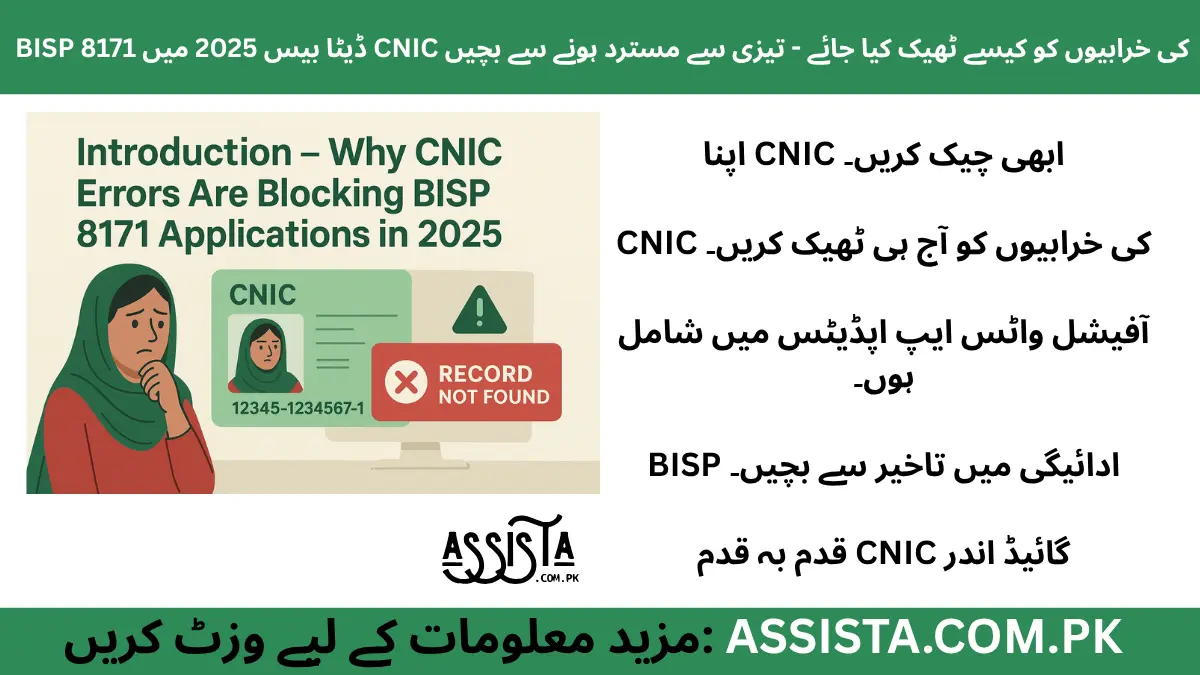
Introduction – Why CNIC Errors Are Blocking BISP 8171 Applications in 2025
In 2025, thousands of low-income families across Pakistan depend on BISP 8171 for their monthly financial support. However, a surprisingly high number of applications are being rejected or delayed due to CNIC-related errors. Even small mismatches between your CNIC record in NADRA and BISP’s database can trigger “record not found” messages or delay payments.
For many families, these payments are a lifeline. Imagine a mother relying on this stipend for household essentials, only to face delays because of a minor mismatch in her CNIC details. This makes it crucial to verify and fix CNIC errors promptly.
Understanding the BISP 8171 CNIC Database System
To fully grasp why errors happen, you need to understand how BISP verifies CNICs. When you apply for BISP 8171, your CNIC data is cross-checked with NADRA’s central database. This ensures that only eligible beneficiaries receive payments.
However, the process is highly sensitive:
- Any typo, outdated CNIC, or mismatch with family records can block your application.
- Payments are linked to your verified CNIC, so errors can delay money for weeks.
- Even mobile numbers and household info associated with CNIC are checked during verification.
Understanding this system helps beneficiaries anticipate common pitfalls and act before facing rejection.
Common CNIC Errors in BISP 8171 Applications (2025 List)
Here are the most frequent CNIC errors that cause issues in BISP applications:
- Invalid CNIC – The CNIC number does not exist or was entered incorrectly.
- Expired CNIC – Outdated CNICs are often rejected automatically.
- CNIC Mismatch with Family Record – The applicant’s CNIC doesn’t match the family data registered in NADRA.
- CNIC Not Linked with Mobile Number – Missing mobile linkage can prevent SMS verification.
- CNIC Duplication – Multiple records for the same CNIC can confuse the system.
Recognizing these common errors can save beneficiaries a lot of time and stress.
How to Check If Your CNIC Has Errors in the BISP Database
To check your CNIC:
Step-by-Step Guide:
- Use the Official BISP Portal: Visit the “BISP 8171” portal and enter your CNIC number.
- SMS Verification: Send your CNIC to 8171 and check the response for errors.
- Family Data Cross-Check: Compare your CNIC with your family record to ensure all details match.
- Check Mobile Number Linkage: Ensure your registered mobile number is linked to your CNIC for receiving updates.
By following these simple steps, beneficiaries can identify errors early and prepare for a smooth correction process.
Step-by-Step Guide to Fix CNIC Errors in BISP 8171 (2025 Updated Method)
Fixing CNIC errors offline is still the most reliable method. Here’s how beneficiaries can do it smoothly:
Step 1: Visit Your Nearest BISP Tehsil Office
- Bring your original CNIC and family details (household information).
- Ensure you carry any supporting documents if your CNIC has recently been updated.
Step 2: Request a Data Correction Form
- Ask the BISP official for the BISP 8171 CNIC correction form.
- Fill in your current CNIC, family details, and contact information accurately.
Step 3: Verify Through NADRA Integration
- BISP officials will cross-check your CNIC with NADRA’s database.
- Any mismatched fields will be flagged for correction.
Step 4: Receive Confirmation
- After verification, you will get a confirmation SMS or receipt.
- Keep this confirmation safely as proof in case of delays.
This offline method ensures that all CNIC errors, even complex ones like duplication or family mismatch, are handled reliably.
Online Correction Option – Update CNIC Info Without Visiting Office
For minor errors, like mobile number updates or household info adjustments, BISP now allows online corrections via the portal or dynamic survey system.
Steps for Online Update:
- Log in to the official BISP 8171 portal.
- Select “Re-verification” or “Data Correction”.
- Update your mobile number, address, or other allowed fields.
- Submit for review. You will receive SMS confirmation once updated.
Note: Some critical errors (like CNIC mismatch with family record or duplication) still require offline verification.
How Long It Takes to Fix CNIC Error in BISP Record (2025 Timelines)
- Offline Corrections: Typically take 7–15 working days after submission, depending on region.
- Online Updates: Usually reflected in 3–5 working days.
- Rural Areas: May take slightly longer due to NADRA synchronization delays.
Being aware of these timelines prevents repeated office visits and unnecessary stress.
BISP “Record Not Found” Error – What It Really Means & How to Solve It
The “record not found” message often confuses beneficiaries. Here’s the reality:
Why It Happens:
- Your CNIC details in BISP database do not match NADRA records.
- Recent CNIC updates may not yet be synchronized.
- Mobile number or family data mismatches can also trigger this error.
How to Solve It:
- Double-check CNIC number and family details.
- Correct errors via offline correction form or online portal (if allowed).
- Wait 3–5 days after correction for NADRA synchronization, then re-check via SMS or portal.
Remember: “Record not found” doesn’t mean rejection. Once verified, payments resume automatically.
Avoid These 5 Mistakes During CNIC Update to Prevent Future Rejection
Even after knowing how to correct CNIC errors, many beneficiaries still face repeated rejection because of simple mistakes. Being aware of these can save time, money, and stress.
Mistake 1: Providing an Incorrect CNIC Copy
Many applicants submit photocopies with errors, or sometimes the CNIC number is misread during submission. Always ensure your CNIC is current, legible, and matches NADRA records.
Example: A woman submitted an old CNIC, thinking it was still valid. Her correction request was delayed until she provided the updated CNIC.
Mistake 2: Mismatched Mobile Numbers
BISP frequently uses SMS alerts to notify beneficiaries about CNIC verification and payments. If your mobile number is not linked with your CNIC, you may miss crucial updates. Always verify that your registered mobile is active and correctly linked.
Mistake 3: Incorrect Family Details
CNIC errors often arise from mismatched family records. Double-check your father’s, husband’s, or guardian’s information against NADRA data.
Pro Tip: Keep a family record sheet handy before visiting the office or filling forms online.
Mistake 4: Submitting Incomplete Forms
Incomplete or partially filled forms are the easiest way to get your CNIC correction delayed. Every field matters: from CNIC number to household details and contact info. Always review your form twice before submission.
Mistake 5: Ignoring Official Channels
Many people rely on agents or third-party shops for corrections, which can cause errors or even fraud. Always use official BISP 8171 channels—the Tehsil office, portal, or 8171 SMS service. Avoid unverified middlemen.
Final Tips – Keep Your CNIC Updated to Stay Eligible in 2025
Ensuring your CNIC remains accurate and synchronized with BISP is a long-term habit, not just a one-time fix. Here are actionable tips:
Tip 1: Regularly Verify Your CNIC
Even if your payment is going smoothly, check your CNIC on the BISP portal every 6–12 months. Small changes like address relocation or mobile number updates can create mismatches.
Tip 2: Keep Supporting Documents Ready
Always keep copies of CNIC, family documents, and any update receipts. This is useful when BISP requests verification or you face disputes.
Tip 3: Use Official Helpline for Clarifications
BISP provides the 8171 SMS service and local Tehsil offices. Contact them for guidance before making any updates. Avoid misinformation from social circles or unofficial agents.
Tip 4: Understand Re-verification Processes
BISP now offers dynamic surveys and online re-verification for minor errors. Familiarize yourself with these options, as they can save trips to the office.
Tip 5: Be Patient but Persistent
Corrections, especially offline, can take 7–15 days, depending on region. Always keep track of your submission receipt or SMS confirmation, and follow up if delays occur.
Tip 6: Educate Family Members
If multiple family members are BISP beneficiaries, ensure that everyone’s CNICs and family records match NADRA data. This reduces repeated errors across households.
Frequently Asked Questions (FAQs)
BISP 8171 CNIC Issues FAQs
Solutions to common CNIC problems in the BISP 8171 program
This FAQ addresses the most common CNIC-related issues faced by BISP beneficiaries, including “record not found” errors, CNIC mismatches, and correction procedures.
This usually means your CNIC data in BISP does not match NADRA records.
- Check your CNIC number for accuracy
- Verify family details are correctly recorded
- Ensure your mobile number is properly linked
Submit a correction form if necessary, and re-verify after 3–5 days.
You have two options to fix CNIC mismatches:
- Offline: Submit a data correction form at your Tehsil office
- Online: Make minor updates via the BISP portal
Yes, but with limitations:
- Minor errors like mobile number or household info can be corrected online
- Use the BISP 8171 portal for these updates
When visiting a BISP office, carry these documents:
- Your original CNIC
- Family documents (father/husband’s CNIC)
- Any previous correction receipts
Office staff may request copies of these documents.
Processing times vary by method:
- Online updates: Approximately 3–5 days
- Offline corrections: Generally 7–15 days
Rural locations may experience slightly longer processing times.
This is typically due to synchronization delays between systems.
- NADRA-BISP synchronization can take time
- Wait 3–5 working days after your update
- Check again via SMS or the portal
Yes, absolutely.
Expired CNICs automatically block payments in the BISP system. Always ensure your CNIC is valid and not expired to receive uninterrupted payments.
Limited options are available for remote resolution:
- Minor errors can be corrected online through the portal
However, for these issues, office verification is necessary:
- CNIC mismatches
- Duplicate records
- Family record issues
Use these official channels for CNIC data correction:
- SMS Service: Send your CNIC to 8171
- Online Portal: Official BISP 8171 website
- In Person: Nearest BISP Tehsil office
After submitting your correction request:
- Check for SMS confirmation
- Log in to the BISP portal for status updates
Corrections are typically reflected within:
- 3-5 days for online submissions
- 7-15 days for office submissions
Official BISP Support Channels
- Helpline: 0800-26477
- SMS Service: Send CNIC to 8171
- Website: 8171.bisp.gov.pk
Still Confused or Need Help?
If you’re unsure about your eligibility, registration process, or want direct updates from our team — join our official WhatsApp Channel where we share all latest BISP 8171 and government scheme updates step-by-step.
Tap the button below to join our verified WhatsApp channel.
💬 Join WhatsApp ChannelStay updated — we’ll guide you until your BISP or government application process is successfully completed.
Disclaimer / اطلاع برائے عوام
English: This article is prepared for public awareness regarding BISP 8171 CNIC errors in 2025 and how to check or correct them. It is not officially affiliated with the Benazir Income Support Programme (BISP) or any government department. For accurate verification, always use the official BISP portal or call the verified helpline 0800-26477.
Roman Urdu (اہم نوٹ): Yeh maloomat sirf public awareness ke liye hai. Is website ka BISP ya kisi hukoomati idaray se koi ta’alluq nahi hai. Apni asal tasdeeq sirf 8171.bisp.gov.pk ya BISP helpline par karein. Kisi bhi WhatsApp message, 03xx number ya fake link par apna CNIC ya personal data share na karein.
Report Fraud: Agar aapko koi suspicious call, SMS, ya fake app mile jo BISP 8171 ka dawa kare, report karein: PTA Complaint Portal, call FIA Cyber Crime (1991), ya apne qareebi BISP Tehsil Office par jaaen.
🔗 Visit Official BISP Website
Saleh Ashraf
Founder of Assista.com.pk
Hi, I’m Saleh Ashraf — a passionate blogger, researcher, and digital educator with over 7 years of experience in blogging, online awareness, and government program analysis. I started Assista.com.pk to help people across Pakistan better understand and benefit from the BISP 8171 Program and other national welfare schemes.
My goal is simple: to make sure every visitor gets clear, verified, and step-by-step guidance about registrations, payments, and updates related to government initiatives. With a strong background in research and content writing, I ensure every article published here is reliable, practical, and genuinely useful for the public.
Beyond BISP 8171, I also share updates on Ehsaas Program, utility relief schemes, and government financial support systems, empowering families to access the help they deserve with confidence and clarity.
📍 Based in Pakistan
💼 Government Awareness Blogger | BISP Program Researcher
🔔 Your trusted source for verified welfare updates and guidance across Pakistan.

16 thoughts on “How to Fix CNIC Errors in BISP 8171 Database 2025 – Avoid Rejection Fast”