Last Updated: 28 October 2025
Introduction – Solve Your Out-District CNIC Issue Before Next BISP Payment
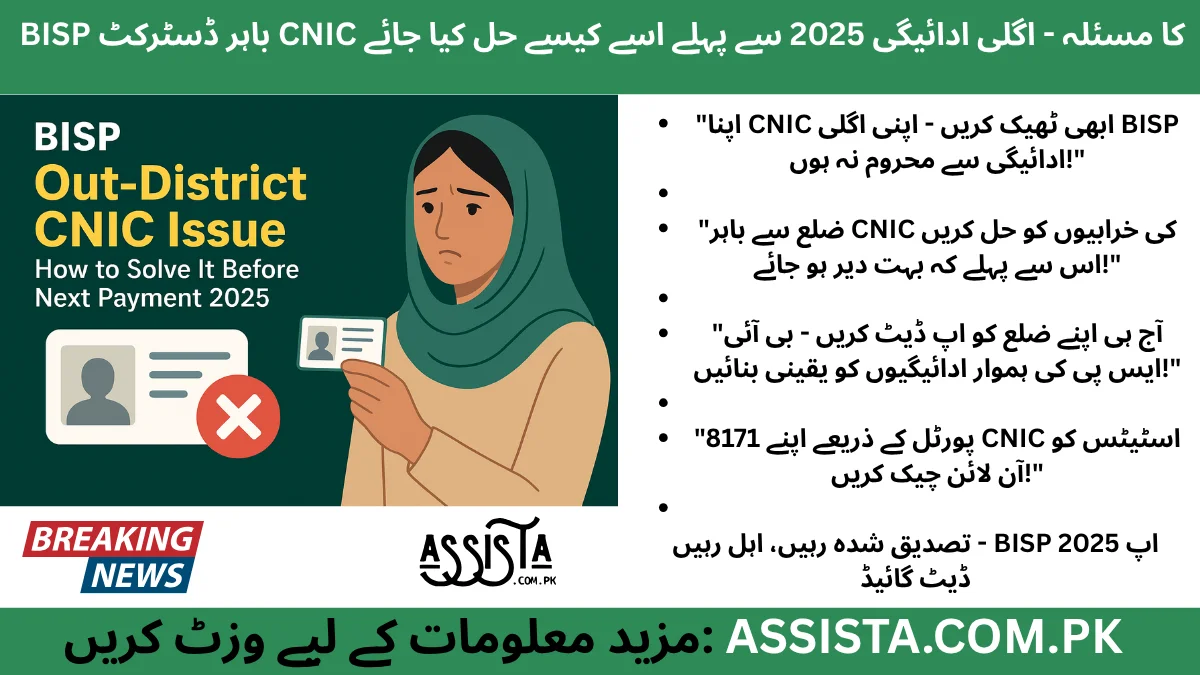
The Benazir Income Support Programme (BISP) is Pakistan’s largest social safety net, helping millions of families every year. In 2025, the program continues to provide financial assistance, but many beneficiaries face a common obstacle called the “Out-District CNIC Issue.” This problem occurs when the CNIC registered in the BISP system does not match the district where the beneficiary currently resides, causing payment delays, temporary account blockages, or failed eligibility checks.
An out-district CNIC issue is especially common among families that have relocated recently, either within the same province or to a different one. Many beneficiaries are unaware that their NADRA records or BISP registration need to be updated after a move. Without this update, even if all other eligibility criteria are met, the payment will be halted.
In 2025, BISP has modernized its systems, including portal verification and SMS notifications via 8171, making it easier to identify and resolve CNIC errors. However, understanding the causes, checking your status, and following the correct procedure is essential to ensure you do not miss your next payment.
Example:
Farzana Bibi from Karachi moved from Multan six months ago. When she tried to check her BISP eligibility, the portal displayed “Out-District CNIC.” This error would have delayed her next payment if she hadn’t taken immediate action to correct her CNIC registration.
The purpose of this guide is to provide a step-by-step roadmap to quickly identify, verify, and resolve out-district CNIC issues to ensure smooth receipt of BISP payments in 2025.
What Causes Out-District CNIC Issues in BISP
To effectively fix this problem, it is important to understand why it occurs. The most common causes include:
- CNIC registered in a different district:
Many beneficiaries initially registered their CNICs in a district different from their current residence. If the CNIC district does not match the location where BISP expects the beneficiary to receive payments, it automatically generates an out-district error. - Family relocation not updated in NADRA:
Whenever a family moves, the new address and district must be updated with NADRA. If this update is not done, BISP’s portal continues to use old information, creating a mismatch. - Portal mismatch with local Tehsil records:
BISP relies on district-level records maintained by local Tehsils. Any discrepancy between the Tehsil records and portal data can trigger an out-district CNIC issue, especially if someone recently moved or changed household registration. - PMT or Dynamic Survey data discrepancies:
The Proxy Means Test (PMT) and dynamic survey data are core components for BISP eligibility. If household or CNIC data in these databases is not properly updated, the CNIC will appear as out-of-district even if other information is correct.
Example:
Ali Raza, originally registered in Peshawar, moved to Lahore last year. His family relocation details were not updated in NADRA, and the PMT survey still listed his old address. As a result, his CNIC showed as out-of-district, causing a delay in his next BISP payment.
How to Check If You Have an Out-District CNIC Problem
Before taking corrective action, you must verify if your CNIC indeed has an out-district error. Here’s how:
- Visit the official BISP portal:
Go to bisp.gov.pk and navigate to the eligibility check section. - Enter your CNIC:
Type your CNIC number without dashes and submit the form. - Check for error messages:
If your CNIC is out-district, the portal will display messages such as “Out-District CNIC” or “Record Not Found.” - Verify via 8171 SMS:
Send your CNIC to 8171 to confirm the status. You will receive a reply indicating whether your CNIC is eligible or flagged as out-district.
Important Notes:
- Always use official BISP channels; third-party apps may provide incorrect information.
- Keep records of portal checks and SMS replies, as these may be required when submitting documents at the BISP office.
Example:
Sadia from Multan received the “Out-District CNIC” message after checking her eligibility online. She then confirmed the issue via 8171 SMS before visiting the BISP office to resolve it.
Step-by-Step Guide to Fix Out-District CNIC Errors
Once you have confirmed the issue, the next step is to correct the CNIC registration to ensure timely payment. Follow these steps:
- Visit the nearest BISP office:
Take your original CNIC along with family CNICs/B-Forms and proof of residence, such as a utility bill or rent agreement. - Submit a request for district update:
Fill out the official CNIC update form and specify your current district. Make sure that all details exactly match your NADRA records. - Cross-check dynamic survey or PMT records:
BISP officials will verify your family and household details in the dynamic survey and PMT databases. Accurate details prevent repeated errors. - Wait for confirmation SMS:
After submitting your request, BISP will send a confirmation via 8171 SMS or portal notification. Do not assume the issue is resolved until this confirmation is received. - Recheck eligibility online:
Once you receive confirmation, revisit the BISP portal to confirm that your CNIC now shows active and district-correct status.
Pro Tips:
- Bring all necessary documents, including utility bills, CNICs, and family forms, to avoid delays.
- Double-check that names and CNIC numbers match official records exactly.
- Avoid unofficial agents or services claiming instant CNIC fixes; these are often fraudulent.
Example:
Shabana from Lahore faced an out-district CNIC problem after moving from Sargodha. She visited her local BISP office with all documents and received confirmation via SMS within 10 days. Her next payment was successfully credited without any delay.
Summary:
This first section has explained what the out-district CNIC issue is, why it happens, how to check if your CNIC has a problem, and a step-by-step method to fix it. By following these steps, beneficiaries can ensure that their BISP payments in 2025 are processed smoothly, without delays or errors.
Fixing CNIC Issues via BISP Portal (If Supported Online)
In 2025, BISP has made some CNIC corrections possible online, which can save beneficiaries a lot of time compared to visiting a BISP office. However, this option is available only in certain districts and requires official proof of residence.
Step-by-Step Online Fix
- Visit the official portal: Go to bisp.gov.pk and log in with your CNIC.
- Eligibility check: Enter your CNIC in the “Eligibility Check” section. Look for messages like “Out-District CNIC”.
- Submit a CNIC correction request: If online update is available, select “Update CNIC / District” from the portal menu.
- Attach proof of residence: Upload a utility bill, rental agreement, or NADRA certificate as proof of your current district.
- Receive confirmation: BISP will notify you via 8171 SMS or portal message once your CNIC is updated.
Example:
Sadia from Multan tried the online method after her CNIC showed out-district in Karachi. Within 5 working days, the portal confirmed her district update, and her next payment went smoothly without any delays.
Important Notes:
- Online updates may take 3–5 working days, while offline updates may take 1–2 weeks.
- Always ensure your uploaded documents are clear and official.
Required Documents to Resolve Out-District CNIC Issue
Proper documentation is essential to resolve CNIC mismatches effectively. Both online and offline updates require the following:
- Original CNIC of head of household
- CNICs / B-Forms of all family members
- Proof of residence: Utility bill, rental agreement, or NADRA certificate
- Previous BISP registration information (if available)
Tips for Documentation
- Make scanned copies as backups.
- Ensure all family members are listed correctly, especially for joint family registrations.
- If any document is missing, update it with NADRA before approaching BISP.
Example:
Imran from Peshawar prepared all documents in advance: his CNIC, family B-Forms, and electricity bill. After submitting at the BISP office, his district update was confirmed in two weeks via SMS.
How This Affects Your Next BISP Payment
Ignoring an out-district CNIC issue can have serious consequences for your next BISP payment:
- Payment delays: Most commonly, the payment can be delayed by 1–2 months.
- Temporary account block: Until CNIC information is corrected, beneficiaries cannot receive funds.
- Re-verification requirement: BISP may require additional verification if the CNIC remains unmatched.
Example Scenario
Farzana Bibi from Karachi moved from Multan and did not update her CNIC in time. When her payment cycle arrived, she received a message: “Please update CNIC before next payment.” After submitting her updated documents, the payment was finally released in the following cycle.
Pro Tips:
- Check eligibility early: Always verify your CNIC 1–2 months before the expected payment date.
- Keep documentation ready: Ensures you can correct issues quickly and avoid delays.
Common Mistakes Beneficiaries Make
Many beneficiaries unknowingly make mistakes that prolong CNIC issues. Avoid these common errors:
a) Visiting the wrong Tehsil office
Sometimes people visit a Tehsil that does not cover their BISP registration. Always verify the correct office before visiting.
b) Submitting incorrect or incomplete proof
Missing utility bills, old CNICs, or mismatched family information can cause rejection or delays.
c) Ignoring portal or 8171 SMS alerts
BISP regularly sends SMS notifications regarding CNIC errors. Ignoring these alerts can result in missed updates and delayed payments.
d) Using unofficial websites or agents
Many fraudsters claim they can fix CNIC issues quickly. Always use official BISP channels: portal, 8171 SMS, or local office.
Example:
Ali Raza tried using an agent to fix his out-district CNIC issue. The agent requested unnecessary fees and incorrect documents. Ali stopped and followed official steps instead. His CNIC was successfully updated within 10 days, and his payment was credited without delay.
Pro Tips:
- Always verify CNIC status online before taking action.
- Keep copies of all submissions for future reference.
- Educate family members about official BISP procedures to avoid mistakes.
Summary:
- How to fix CNIC issues online
- The required documents for a successful update
- How an out-district CNIC affects your next payment
- Common mistakes beneficiaries make and how to avoid them
By following these steps carefully, beneficiaries can ensure their BISP payments are processed smoothly and on time in 2025.
Safety & Security Tips
Handling your CNIC and BISP data carefully is critical to avoid fraud and ensure smooth payments. Many beneficiaries make mistakes that compromise their safety. Here’s a step-by-step guide:
a) Use Official Channels Only
- Always update CNIC via BISP portal, 8171 SMS, or local BISP office.
- Avoid unofficial apps or websites claiming to fix CNIC issues quickly.
b) Protect Your Personal Information
- Never share your CNIC, family CNICs, or BISP credentials with third-party agents.
- Keep copies of all documents secure, both physically and digitally.
c) Verify SMS Numbers Before Responding
- BISP uses 8171 for official communication.
- Any other number claiming to be BISP is likely a fraud attempt.
d) Keep Track of Updates
- After submitting CNIC updates, check eligibility status online.
- Keep a log of portal confirmations and SMS alerts for future reference.
Example:
Shabana from Lahore ensured she only used the BISP portal and 8171 SMS. She ignored calls from agents claiming instant CNIC fixes. Her CNIC update was confirmed within 7 days, and her payment was credited without issues.
Pro Tip:
Fraudsters often promise fast updates for a fee. Always remember: official BISP updates are free.
Final Advice – Check Early to Avoid Payment Delays
To ensure your BISP payments arrive on time, beneficiaries should take these final steps:
- Check CNIC status before the payment month:
- Avoid waiting until the last minute. Early verification allows time to fix errors.
- Prepare all required documents in advance:
- CNIC, family CNICs/B-Forms, and proof of residence should be ready before visiting the office or submitting online requests.
- Recheck eligibility after updates:
- Once CNIC updates are confirmed, verify the status online or via 8171 SMS.
- Keep family data continuously updated:
- Any relocation, change of head of household, or new family members should be updated promptly in NADRA and BISP.
Example:
Hassan from Islamabad checks his CNIC and family records one month before each BISP payment cycle. By keeping documents ready and confirming updates via portal and SMS, he has never faced delays in receiving payments.
Pro Tip:
Consistency is key. Regularly monitoring your CNIC and family data ensures smooth payment cycles without unexpected delays.
Still Confused or Need Help?
If you’re unsure about your eligibility, registration process, or want direct updates from our team — join our official WhatsApp Channel where we share all latest BISP 8171 and government scheme updates step-by-step.
Tap the button below to join our verified WhatsApp channel.
💬 Join WhatsApp ChannelStay updated — we’ll guide you until your BISP or government application process is successfully completed.
Disclaimer / اطلاع برائے عوام
English: This article has been prepared by Saleh Ashraf for public awareness regarding BISP Out-District CNIC Issue – Critical How to Solve It Before Next Payment 2025. It is not officially affiliated with the Benazir Income Support Programme (BISP) or any government department. For accurate verification, always use the official BISP portal or call the verified helpline 0800-26477.
Roman Urdu (اہم نوٹ): Yeh maloomat sirf public awareness ke liye hai. Is website ka BISP ya kisi hukoomati idaray se koi ta’alluq nahi hai. Apni asal tasdeeq sirf 8171.bisp.gov.pk ya BISP helpline par karein. Kisi bhi WhatsApp message, 03xx number ya fake link par apna CNIC ya personal data share na karein.
Report Fraud: Agar aapko koi suspicious call, SMS, ya fake app mile jo BISP 8171 ka dawa kare, report karein: PTA Complaint Portal, call FIA Cyber Crime (1991), ya apne qareebi BISP Tehsil Office par jaaen.
🔗 Visit Official BISP Website
Saleh Ashraf
Founder of Assista.com.pk
Hi, I’m Saleh Ashraf — a passionate blogger, researcher, and digital educator with over 7 years of experience in blogging, online awareness, and government program analysis. I started Assista.com.pk to help people across Pakistan better understand and benefit from the BISP 8171 Program and other national welfare schemes.
My goal is simple: to make sure every visitor gets clear, verified, and step-by-step guidance about registrations, payments, and updates related to government initiatives. With a strong background in research and content writing, I ensure every article published here is reliable, practical, and genuinely useful for the public.
Beyond BISP 8171, I also share updates on Ehsaas Program, utility relief schemes, and government financial support systems, empowering families to access the help they deserve with confidence and clarity.
📍 Based in Pakistan
💼 Government Awareness Blogger | BISP Program Researcher
🔔 Your trusted source for verified welfare updates and guidance across Pakistan.