Last Updated: November 6, 2025
Learn how to fill the BISP Online Form 2025 step by step and get approved fast. Complete guide to apply, verify CNIC, and track your 8171 status easily.
Introduction – Why Applying Online Matters
In 2025, the Benazir Income Support Programme (BISP) has become far more digital than ever before. Every new applicant, especially low-income families across Pakistan, must complete the BISP Online Form 2025 correctly to become eligible for quarterly assistance under the 8171 system. The government has tightly integrated this process with NADRA’s national database, meaning your CNIC record now decides whether you qualify or get delayed.
Applying online matters for two main reasons. First, it eliminates the long queues and manual form errors that used to slow verification. Second, the system automatically verifies your CNIC, household, and poverty score through NADRA and the Dynamic Survey database. If your information is accurate, you can get approved in a matter of days rather than weeks.
Thousands of women and men, especially in rural Punjab, Sindh, Khyber Pakhtunkhwa, and Balochistan, are now choosing the online method because it is faster, safer, and transparent. However, even one small mistake—like a wrong date of birth or expired CNIC—can block your application for months. That’s why understanding how to fill the form properly has become essential in 2025.
The BISP portal is mobile-friendly, designed for both smartphone and desktop users, but most people today complete the process on their phones. The system requires only a valid CNIC, registered mobile number, and correct family details. Once submitted, you receive an SMS confirmation from 8171 acknowledging your registration. This digital transition represents Pakistan’s new phase of welfare modernization—where the right data brings real support directly to citizens’ accounts.
Overview of BISP Online Application Process
The BISP online application process has been streamlined in 2025 to make it easier for applicants while ensuring complete verification through NADRA. It begins with accessing the official government portal at https://bisp.gov.pk or 8171.bisp.gov.pk—these are the only authentic links approved by the Ministry of Poverty Alleviation and Social Safety. Any other website or form asking for your CNIC should be avoided immediately, as scams are common during registration periods.
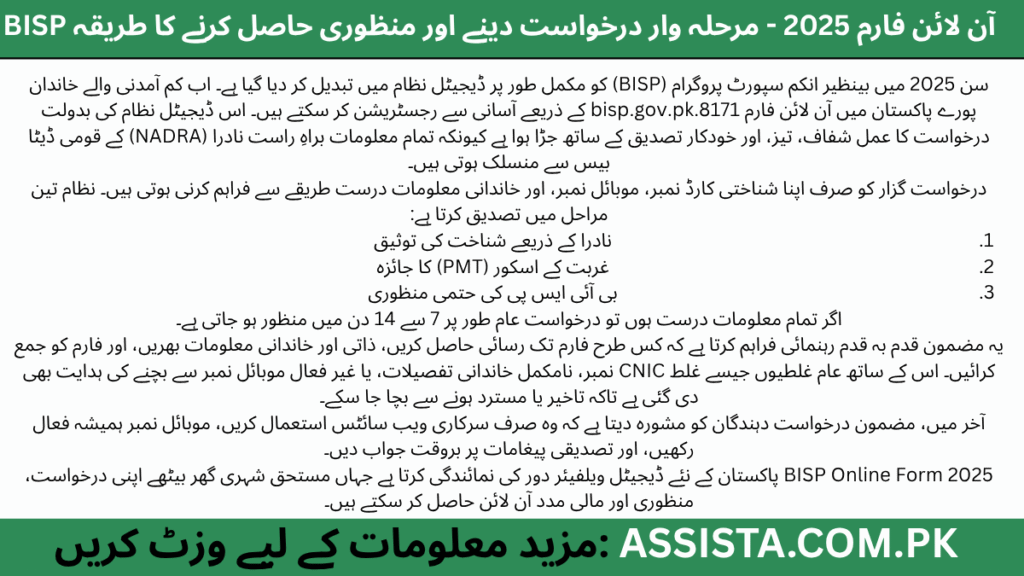
Once inside the official site, you’ll find the “Online Application / New Registration” option. This form captures your personal, family, and income data which BISP later cross-matches with the NADRA database and Dynamic Survey information. The application undergoes a three-stage verification:
- NADRA Identity Match – to confirm your CNIC and household record.
- PMT Score Evaluation – to measure your poverty level and determine eligibility.
- Final BISP Review – to approve or reject your case based on national criteria.
In previous years, this process could take months. But since 2025, with real-time NADRA integration and automated alerts, most valid applications are processed within 7 to 14 days. Applicants receive status updates by SMS or through the portal dashboard, where they can track whether their form is “Under Process,” “Approved,” or “Rejected.”
The key advantage of applying online is control—you can monitor every step yourself. You don’t need agents, intermediaries, or manual submissions. And because the system now stores your information digitally, you can later update it easily during any new Dynamic Survey round or household re-verification campaign.
Accessing the Online Form
To access the BISP Online Form 2025, open your mobile browser or computer and visit the official link: 8171.bisp.gov.pk. Avoid using public Wi-Fi or shared devices because your CNIC and contact data are sensitive. Always double-check that the web address ends with “.gov.pk” to confirm authenticity.
Once on the site, click the button labeled “Online Application / New Registration.” A form window will open where you’ll enter your CNIC number and registered mobile number. Make sure both are active and match NADRA’s record. Many people lose eligibility simply because they use a SIM registered in someone else’s name.
If you’re applying through a smartphone, enable a stable 3G or 4G connection. The form works best on Google Chrome or Microsoft Edge. Older browsers sometimes fail to load the verification script that checks CNIC and household data.
After you input your CNIC, the portal automatically verifies it with NADRA. If successful, it opens additional fields for name, gender, date of birth, marital status, address, and district. Each field is mandatory—leaving one blank can result in an error like “Incomplete Information” or “CNIC Not Found.” If you face such an error, update your NADRA record before retrying.
This initial step confirms your identity and creates your digital application profile inside the BISP system. From here, you can safely proceed to fill in personal, family, and income details. Remember to keep screenshots or notes of every confirmation message; these act as your proof in case any technical issue arises later.
Filling Personal Information
This is the heart of your BISP Online Form 2025. Accuracy here decides your approval speed and eligibility. Begin by entering your full name, CNIC number, and date of birth exactly as shown on your CNIC card. The portal automatically validates this information with NADRA’s central database, so any mismatch—even a missing digit—can stop your submission.
Next, provide your mobile number, address, and district details. The mobile number is crucial; it’s your direct communication link with BISP. All verification messages, status updates, and survey alerts are sent through SMS from 8171. If your number changes after applying, update it on the portal immediately.
Applicants should also enter their household income, occupation, and education level truthfully. This data helps generate your PMT (Poverty Means Test) score. The system uses this score to decide whether you qualify under the national poverty threshold. Submitting false information may lead to disqualification later, as BISP conducts periodic cross-checks.
Be mindful of spelling errors—names written differently in NADRA and BISP records can delay verification. It’s a good idea to copy information exactly as it appears on your CNIC and family registration certificate (FRC).
Once all personal information is entered, review it line by line. Many users skip this step, but a few minutes of careful checking can save weeks of waiting. When satisfied, click “Save and Continue” to move toward adding family and household data.
Adding Family & Household Data
After entering your personal information, the next step is to provide complete family and household details. This part is crucial because BISP evaluates the total household composition, income, and living conditions to determine eligibility. Begin by listing all family members, including spouse, children, parents, and any dependents. For each member, enter their full name, CNIC (if available), age, and relation to the primary applicant.
You also need to provide employment status and income for each family member. For instance, if a family member has a government job or earns a monthly wage, it should be reported accurately. Similarly, include education levels for each person—this helps BISP assess socio-economic conditions. Any missing or inconsistent information here can trigger verification delays or rejection.
BISP encourages applicants to update household information if there have been changes, such as new births, deaths, or marriages. Accurate household data ensures your PMT score reflects your current situation, improving the chances of approval. Applicants should double-check all family CNIC numbers; a wrong digit can automatically flag the form for manual review.
Review and Submit the Form
Once all personal and family information is filled in, it’s time for the critical review stage. Go through each field carefully—verify spellings, CNIC numbers, dates of birth, mobile numbers, and income details. The portal does some automatic validation, but human errors are common, and they can result in “Under Process” or “Rejected” status.
After confirming all entries, click the “Submit” button. The portal will generate a confirmation receipt and send an SMS from 8171. It’s important to save both digital and printed copies. This receipt serves as proof of submission in case of technical errors or disputes.
Applicants are advised not to exit the portal prematurely. Ensure the confirmation page fully loads, as interrupting the submission can lead to incomplete applications. Once submitted, the form moves to verification by NADRA and BISP, and the status becomes visible on the portal dashboard.
Common Mistakes to Avoid
Many applications fail due to simple mistakes. The most frequent errors include:
- Wrong CNIC or date of birth: Double-check your CNIC digits and ensure the DOB matches NADRA records.
- Incomplete family or income details: Every family member and source of income must be listed; missing data causes delays.
- Ignoring portal alerts: If the portal highlights a field in red or shows a validation error, do not skip it.
- Mobile number issues: SMS updates will not reach you if the number is inactive or registered under someone else.
Being cautious during these steps significantly increases your approval chances and saves weeks of waiting. Applicants who follow instructions carefully often receive approval within 7–14 days.
Tracking Your Online Form Status
BISP makes it easy to track the status of your online application. After submission, log in to the portal dashboard using your CNIC and registered mobile number. You will see one of the following statuses:
- Under Process: Your form is being verified by NADRA and BISP.
- Approved: Congratulations! Your household has been verified and added to the BISP beneficiary list.
- Rejected: There may be an error or mismatch in your submission; check portal notes or contact 8171 for guidance.
Additionally, applicants receive real-time SMS alerts from 8171, providing updates on verification or any required actions. If the status remains “Under Process” for longer than expected, it is advisable to contact BISP support or visit the nearest district office for follow-up.
Tips to Get Approval Faster
While BISP verification is mostly automated, you can still take steps to speed up approval:
- Fill all mandatory fields accurately: CNIC, DOB, mobile number, and family data must be complete.
- Respond promptly to Dynamic Survey requests: BISP may conduct follow-up surveys to confirm your household details.
- Keep mobile number and address updated: Any mismatch can delay SMS confirmations or status updates.
- Submit early: Avoid waiting until the deadline; early submissions get processed first.
Following these tips reduces errors, prevents unnecessary delays, and increases the likelihood of smooth approval.
Final Advice – Ensure Eligibility and Avoid Rejection
Finally, every applicant should keep these points in mind:
- Always submit through official BISP portals only.
- Save your submission receipt and confirmation messages.
- Verify all household and personal information against NADRA records.
- Apply well before the deadline to avoid last-minute issues.
- If rejected, use the appeal system or consult your nearest BISP district office for guidance.
Correct and honest data entry is the fastest route to approval, while avoiding mistakes ensures your family’s continued access to the 8171 program benefits.
FAQs – User-Intent Focused
💬 Top 10 FAQs
1. How do I access the BISP online form 2025?
You can access the form only through the official portals: https://bisp.gov.pk or 8171.bisp.gov.pk. Avoid third-party links—they are often scams. Use a stable internet connection and make sure your CNIC and mobile number are active for smooth verification.
2. What personal information is required in the form?
You must provide your full name, CNIC number, date of birth, gender, marital status, mobile number, and complete address. All information must match NADRA records exactly to avoid rejection.
3. How do I add family members in the online form?
List every family member, including spouse, children, parents, and dependents. For each, provide full name, relation, CNIC (if available), age, income, occupation, and education. Accuracy is essential for the PMT score and eligibility.
4. Can I update the form after submission?
Yes, minor updates can be made if there’s a change in household info, like births, deaths, or address updates. Some edits may require contacting BISP support or visiting your district office.
5. How will I know if my application is approved?
The portal shows statuses: Under Process, Approved, or Rejected. Additionally, you will receive SMS alerts from 8171 confirming approval or providing instructions for issues.
6. What are common mistakes to avoid?
Typical errors include wrong CNIC or DOB, incomplete family or income details, skipping validation alerts, or using a mobile number not registered in your name. Double-check all entries before submission.
7. Can I submit the form via mobile phone?
Yes, the BISP portal is mobile-friendly. Ensure your device has a stable 3G/4G connection and an updated browser like Chrome or Edge for best results.
8. How does the online form affect eligibility?
The form feeds into the PMT system, which calculates poverty score based on household data. Accurate information increases approval chances, while errors or false data can lead to rejection.
9. Who can I contact if my form is rejected?
You can call the BISP Helpline 8171 or visit the nearest BISP district office. They will guide you on corrections or re-submission through the appeal process.
10. Is there a deadline for submitting the online form?
Yes, each application batch has a deadline, usually announced by BISP for the current quarter. It is recommended to submit early to avoid delays and ensure timely verification.
Still Confused or Need Help?
If you’re unsure about your eligibility, registration process, or want direct updates from our team — join our official WhatsApp Channel where we share all latest BISP 8171 and government scheme updates step-by-step.
Tap the button below to join our verified WhatsApp channel.
💬 Join WhatsApp ChannelStay updated — we’ll guide you until your BISP or government application process is successfully completed.
Disclaimer / اطلاع برائے عوام
English: This article has been prepared by Saleh Ashraf for public awareness regarding BISP Online Form 2025 – How to Apply Step by Step & Get Approved Fast and Easily. It is not officially affiliated with the Benazir Income Support Programme (BISP) or any government department. For accurate verification, always use the official BISP portal or call the verified helpline 0800-26477.
Roman Urdu (اہم نوٹ): Yeh maloomat sirf public awareness ke liye hai. Is website ka BISP ya kisi hukoomati idaray se koi ta’alluq nahi hai. Apni asal tasdeeq sirf 8171.bisp.gov.pk ya BISP helpline par karein. Kisi bhi WhatsApp message, 03xx number ya fake link par apna CNIC ya personal data share na karein.
Report Fraud: Agar aapko koi suspicious call, SMS, ya fake app mile jo BISP 8171 ka dawa kare, report karein: PTA Complaint Portal, call FIA Cyber Crime (1991), ya apne qareebi BISP Tehsil Office par jaaen.
🔗 Visit Official BISP Website
Saleh Ashraf
Founder of Assista.com.pk
Hi, I’m Saleh Ashraf — a passionate blogger, researcher, and digital educator with over 7 years of experience in blogging, online awareness, and government program analysis. I started Assista.com.pk to help people across Pakistan better understand and benefit from the BISP 8171 Program and other national welfare schemes.
My goal is simple: to make sure every visitor gets clear, verified, and step-by-step guidance about registrations, payments, and updates related to government initiatives. With a strong background in research and content writing, I ensure every article published here is reliable, practical, and genuinely useful for the public.
Beyond BISP 8171, I also share updates on Ehsaas Program, utility relief schemes, and government financial support systems, empowering families to access the help they deserve with confidence and clarity.
📍 Based in Pakistan
💼 Government Awareness Blogger | BISP Program Researcher
🔔 Your trusted source for verified welfare updates and guidance across Pakistan.