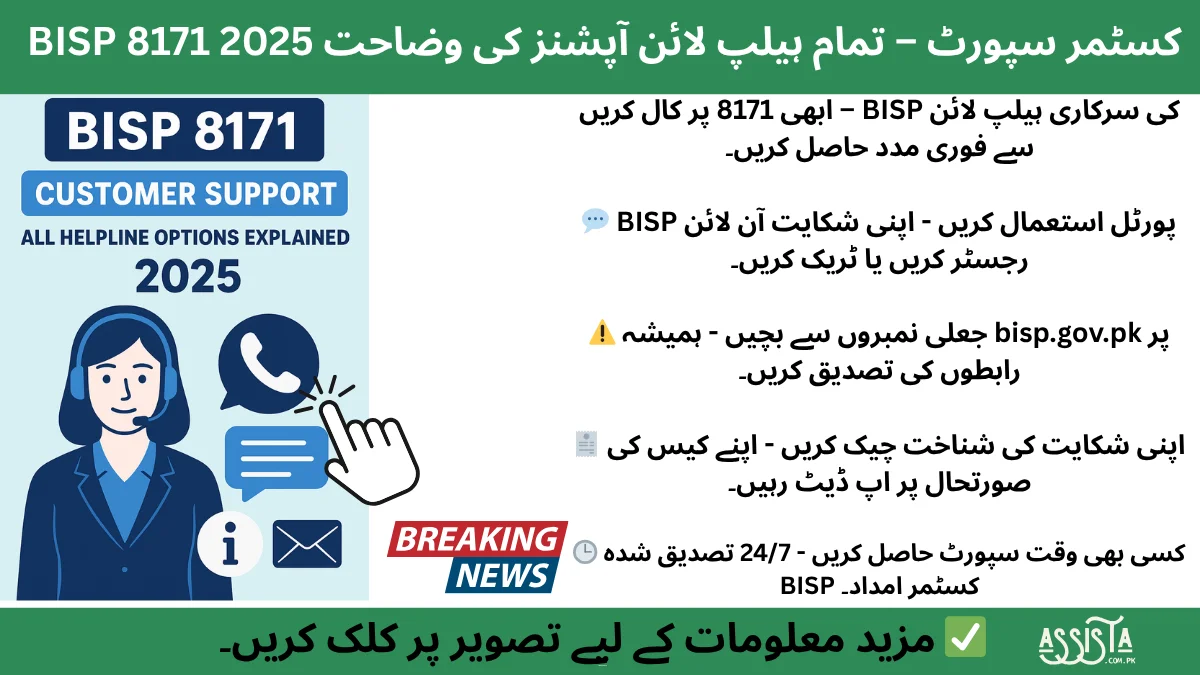
BISP 8171 customer support 2025 guide: official helpline numbers, complaint process, tracking steps, fraud warning & fast issue resolution for beneficiaries.
Introduction – Why BISP Customer Support Matters
In 2025, the Benazir Income Support Programme (BISP) stands as Pakistan’s largest social protection initiative, serving millions of low-income households every quarter. Yet despite all the progress in digitalization and automation, one question still echoes in every beneficiary’s mind: “Where should I go if something goes wrong?”
For most families, BISP is more than just financial aid — it is survival. Every delayed message, blocked CNIC, or payment error can mean a week without food on the table. That’s why the BISP 8171 Customer Support System plays such a critical role. It is the only verified bridge that connects beneficiaries directly with the organization, ensuring transparency, fairness, and timely help.
Unfortunately, many people across Pakistan still face challenges when reaching the official helpline. Lines remain busy, fake WhatsApp numbers circulate on social media, and unverified agents exploit the uninformed. These challenges create confusion, stress, and even financial loss. The purpose of this article is to end that confusion once and for all — by explaining every official support option available under the 2025 system, how to use them correctly, and what steps ensure fast complaint resolution.
BISP’s customer support network has grown far beyond just the 8171 phone number. Today, it includes call-center lines, WhatsApp assistance, online complaint portals, and in-person Tehsil office desks, all designed to make support accessible even in rural areas. Each channel serves a specific function, and understanding how and when to use them can save hours — sometimes even days — of waiting.
Imagine a widow from Layyah trying to confirm whether her quarterly installment has been transferred. She calls 8171, but the line doesn’t connect. Instead of giving up, she switches to the official BISP WhatsApp helpline, submits her CNIC, and receives a confirmation message within minutes. That’s how the modern BISP support system works — fast, multi-channel, and data-driven.
This transformation didn’t happen overnight. Over the past few years, the BISP team has invested heavily in modernizing its grievance redressal mechanisms. They introduced complaint tracking IDs, digital logs, and internal performance monitoring for faster response times. Even WhatsApp-based complaint verification has been integrated to reduce manual paperwork and increase transparency.
Still, the biggest challenge remains awareness. Beneficiaries must know which channel to trust, when to use it, and what information to provide. That’s why understanding the official helpline numbers, timings, and complaint registration process is essential for every BISP recipient.
In this detailed 2025 guide, we’ll walk through:
- How the BISP 8171 support system operates;
- Which official numbers are safe to use;
- How to register and track complaints;
- The role of WhatsApp, portal, and Tehsil offices;
- And, most importantly, how to avoid fraud while getting real support.
By the end of this sectioned breakdown, you’ll have a clear picture of every legitimate contact option and how to use them confidently. Let’s begin with an overview of how this modern, multi-layered BISP 8171 support system actually functions.
Overview of BISP 8171 Support System
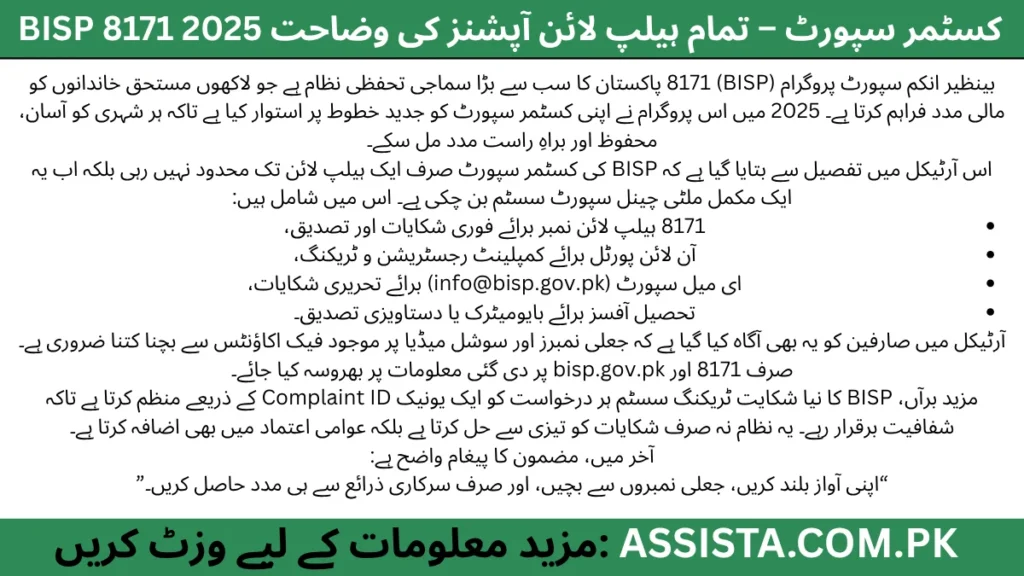
The 2025 BISP 8171 Customer Support Network isn’t just a single helpline — it’s a complete, structured communication framework designed to assist millions of citizens through multiple channels. This system was built to ensure that every eligible individual — whether from Karachi’s dense urban centers or remote villages in Balochistan — can easily access support without needing intermediaries.
A Multi-Channel Framework
BISP now operates through four main communication pillars:
- Phone Helpline (8171): The original and most recognized line for quick complaint logging, eligibility confirmation, and payment status updates.
- WhatsApp Support: Newly launched to provide real-time, chat-based assistance and allow image/document sharing for verification.
- Online Portal Support: Designed for tech-aware users to log in, submit issues, and track complaint progress digitally.
- Tehsil Offices: Physical centers across Pakistan for document verification, appeals, and complex case handling.
Each of these channels is integrated under a central complaint management system (CMS). When a person reports an issue — for example, a “Payment Not Received” or “CNIC Blocked” problem — the CMS automatically assigns a Complaint ID and forwards it to the relevant regional office for review. This digital workflow minimizes delays and human error.
Purpose and Functions
The purpose of this multi-channel system is threefold:
- Accessibility: Every beneficiary should have at least one reliable way to contact BISP.
- Transparency: Every complaint should be logged, tracked, and closed officially.
- Protection: Beneficiaries should never fall victim to fake or unauthorized agents.
In 2025, BISP has also emphasized fraud prevention. Calls made from unofficial numbers or fake SMS links can lead to scams. Therefore, the organization regularly posts verified contact details on bisp.gov.pk and through its official social-media handles.
How the System Resolves Complaints
When a beneficiary reports an issue, the system moves through a standardized workflow:
- Complaint Logging: CNIC and problem type recorded.
- Verification: The system checks payment or registration data in NADRA and BISP databases.
- Action Assignment: Case forwarded to the appropriate department — e.g., payments, eligibility, or update section.
- Resolution & Feedback: The applicant receives a closure message or follow-up via SMS or WhatsApp.
Prevention of Fraud and Errors
The BISP 8171 support design is also a defense mechanism. By providing verified, direct access to the organization, it helps cut off the need for third-party “agents” who often exploit illiterate or elderly beneficiaries. In fact, BISP has repeatedly warned citizens not to share personal information, CNIC copies, or OTPs with anyone claiming to “speed up payments.”
This system’s design shows BISP’s commitment to digital inclusion — ensuring that people from every region, age, and background can reach help safely and directly. Whether through a basic keypad phone or a smartphone, assistance is only one message away.
Now that we understand how the structure works, the next crucial step is identifying the official helpline numbers that beneficiaries should trust and the timings during which those numbers operate.
Official BISP Helpline Numbers 2025
When it comes to financial aid and personal information, using the right helpline number is everything. In 2025, the BISP 8171 team has once again clarified that only officially verified numbers should be used for any form of support, complaint, or eligibility inquiry.
Primary Helpline – 8171
The official, central helpline remains 8171. This is the only number authorized for:
- Checking payment status;
- Confirming eligibility;
- Registering basic complaints;
- Receiving BISP verification codes.
Beneficiaries can call this number from any mobile network within Pakistan. It operates during working hours (typically 8 a.m. – 5 p.m.) Monday to Friday. Outside these hours, an automated voice system may provide limited information or redirect callers to the online portal.
Secondary Regional Lines
In addition to 8171, some regional offices maintain secondary contact lines for local coordination. These numbers are usually displayed on notice boards in Tehsil offices or the official BISP website. However, users are strongly advised to verify any number directly from the website before making calls.
BISP Call Center 2025
For complex or technical queries, BISP has also introduced a call-center extension through its official landline number (051-9246326). This number connects callers directly with the Islamabad headquarters, particularly useful for escalated complaints or inter-provincial verification issues.
WhatsApp and Online Contacts
Although the WhatsApp helpline is part of a different system, it’s important to note that BISP never initiates chats first. Beneficiaries must always message the verified number available on bisp.gov.pk. Any WhatsApp number that contacts a user claiming to be “BISP Support” should be blocked and reported.
Timings and Availability
- Call Center: 8 a.m.–5 p.m. (Mon–Fri)
- WhatsApp Support: 9 a.m.–9 p.m. (Mon–Sat)
- Online Portal: 24/7 accessible
- Tehsil Offices: 9 a.m.–4 p.m. (except Sunday & public holidays)
Warning Against Fake Numbers
Social media has unfortunately become a hotspot for fraud. Scammers often post numbers like “0315-8171-XXX” or “0334-BISP-HELP” pretending to offer registration or fast-track payments. These are fake. The rule is simple:
If the number doesn’t match the official digits “8171” or appear on bisp.gov.pk, do not trust it.
Always remember, BISP representatives never demand fees or bank details. The entire support and complaint process is completely free of charge.
Purpose of Each Helpline
| Helpline Type | Purpose | Access |
|---|---|---|
| 8171 (Primary) | Eligibility, payment, general complaints | Mobile (All Networks) |
| Call Center (051-9246326) | Complex or escalated complaints | Landline – HQ Islamabad |
| WhatsApp Helpline | Quick support, document sharing | Verified number on bisp.gov.pk |
| Tehsil Office Desk | In-person verification | Physical visit required |
How to Register a Complaint via 8171 Helpline
The 8171 helpline remains the fastest and most reliable doorway into the BISP support network. Every beneficiary—whether new or long-time—must understand how to properly file a complaint, because one small mistake such as an incorrect CNIC or incomplete description can delay payment verification for weeks. In 2025, the process has become simpler, clearer, and more traceable—but only if you follow each step carefully.
Step 1 – Prepare Before You Call
Before dialing 8171, gather every piece of information that could be relevant to your issue. Keep your original CNIC, your registered mobile number, and a brief written note of the complaint. Many callers waste their first attempt because they are unsure what to say once the representative answers. Think of this helpline like a formal government channel: clarity saves time.
Examples of information to have ready:
- CNIC number (13 digits)
- Full name as per CNIC
- BISP registration or family ID (if available)
- Type of complaint (e.g., payment not received, CNIC blocked, wrong deduction)
- Date of last payment or message received
This preparation not only helps the agent record your details correctly but also builds your credibility. When callers speak confidently and provide accurate data, their complaints are processed more swiftly.
Step 2 – Dial the Official Number 8171
Call 8171 from any local SIM. When the system connects, an interactive voice response (IVR) greets you. It will usually offer language selection—Urdu or English—and guide you toward different options:
- Press 1 for Eligibility Information
- Press 2 for Payment Status
- Press 3 for Complaint Registration
Select the third option for complaint registration. If lines are busy (a common issue during payment release weeks), wait for off-peak hours—early morning (8 a.m. to 10 a.m.) or late afternoon (3 p.m. to 5 p.m.) generally work best.
Step 3 – Speak to the Customer Representative
Once connected, explain your issue calmly and directly. Avoid long stories; begin with your CNIC and the exact nature of the problem. For example:
“My CNIC 35202-XXXXXXX-X is registered with BISP. I have not received my January 2025 payment yet even though the 8171 SMS shows it as transferred.”
The representative will confirm your record through the internal system. Depending on the type of problem, they may ask for:
- The mobile number linked to your BISP profile
- The name of your local payment center or bank
- Date of your last verified transaction
Always respond truthfully. Remember, BISP never asks for PINs, passwords, or OTPs—if someone does, disconnect immediately.
Step 4 – Receive Your Complaint ID
Once your complaint is officially logged, you will receive a Complaint ID via SMS—usually within a few minutes after the call ends. This unique ID is your tracking code inside the BISP system. Think of it as your case number.
Keep it safe. You will need this ID for every follow-up call, portal inquiry, or Tehsil office visit. Without it, agents cannot access your case history.
Example:
“Your BISP Complaint ID is C-2025-46782. Use this number for future tracking.”
If you don’t receive the message within an hour, call 8171 again to confirm whether your complaint was successfully recorded.
Step 5 – Track Your Complaint
Tracking your complaint ensures accountability. There are three primary ways to do it:
- Call 8171 again and choose “Complaint Tracking.” Provide your Complaint ID and CNIC.
- Use the Online Portal: visit https://8171.bisp.gov.pk, open the “Grievance Redressal” section, and enter your ID.
- Visit Tehsil Office if your issue remains unresolved after 7 to 10 working days.
Most basic payment or verification issues are resolved within 3–7 business days. More complex cases—such as CNIC mismatches or family record errors—can take up to 15 days.
Step 6 – Follow Up Politely
Persistence matters, but politeness works faster. When following up, always reference your Complaint ID and date of registration. Agents appreciate clarity, and your professionalism ensures your issue is taken seriously.
Avoid calling multiple times in a single day; instead, allow 48 hours between follow-ups. If you receive a resolution SMS, read it carefully—sometimes the issue is fixed even before the next payment cycle begins.
Step 7 – Escalate if Unresolved
If your complaint remains unaddressed after the expected period, you can escalate it through one of the following channels:
- BISP Call Center (051-9246326) — request to speak with a supervisor.
- BISP Head Office, Islamabad — submit a written application with your Complaint ID.
- BISP Portal Grievance Form — select “Escalate Complaint” option.
Escalation ensures that your case is reviewed by a senior officer who can directly contact the relevant regional office.
Common Mistakes to Avoid
| Mistake | Result |
|---|---|
| Calling fake 031x-8171 numbers | Personal data theft / fraud |
| Giving incomplete CNIC or old number | Complaint rejection |
| Not noting Complaint ID | No tracking possible |
| Sharing OTP or verification SMS | Account compromise |
| Filing multiple complaints for same issue | Delays in processing |
The golden rule: One problem, one complaint ID. This keeps the database clean and your record traceable.
Sample Scenario
Let’s take an example from southern Punjab. A beneficiary named Fatima Ali noticed that her March 2025 payment was not showing up. She called 8171, pressed 3 for complaints, and explained her issue. The agent registered it and sent her ID C-2025-09124. Within four days, she received an SMS: “Your complaint has been resolved. Please check payment status.” When she checked again, the amount was available.
Fatima’s experience reflects how efficient the system can be if the process is followed correctly.
Security and Ethics
BISP operates under strict data-protection policies. The organization never asks for money or charges any fee for registering complaints. If anyone demands payment in exchange for faster resolution, report them immediately using the 8171 helpline or at complaints@bisp.gov.pk.
Your complaint registration is 100 percent free and confidential.
Why This Process Matters
For millions of Pakistani families, complaint registration isn’t just paperwork—it’s a form of dignity and justice. It ensures every voice is heard, every record verified, and every rupee accounted for. The 8171 helpline allows citizens to interact directly with the government without a middleman. That’s why learning this process is so important; it puts control back in the beneficiary’s hands.
BISP 8171 Customer Support Services: Helpline Numbers, Email, and Complaint Tracking 2025
In 2025, the Benazir Income Support Programme (BISP) has evolved into a massive, nationwide welfare network reaching every province, tehsil, and village of Pakistan. But as the program grows, so do the questions, concerns, and technical issues faced by millions of beneficiaries. That’s where BISP 8171 Customer Support comes in — not just as a helpline but as a complete service framework designed to solve real people’s problems.
This section explains every contact option — from the official helpline to email support, complaint registration, and tracking — so that anyone in Pakistan can reach BISP safely, quickly, and for free.
1. BISP 8171 Helpline Number (Toll-Free Call Service)
The BISP 8171 Helpline is the most direct and official way to contact the support team. It’s active 24 hours a day, 7 days a week, and completely free for all mobile networks in Pakistan.
Official Helpline: 0800-26477 or simply dial 8171
Service Language: Urdu + Regional Languages
Availability: Nationwide – PTCL and all mobile networks
When you call the helpline, you’ll first hear an automated message verifying your eligibility or payment status. If your issue isn’t solved automatically, you can press “0” to talk directly with a BISP support representative.
Common issues resolved via 8171 helpline:
- Payment or installment not received
- CNIC or account verification problems
- Disqualification or “Not Eligible” status clarification
- Complaints about cash agents, POS centers, or deductions
- Data update or dynamic survey guidance
Pro-Tip (MurshaD G Style): Always call from the same SIM number you registered with BISP. It helps the system fetch your record instantly and reduces verification delays.
2. BISP Official Email Support – For Written Complaints and Documents
If your issue needs written clarification, scanned documents, or tracking, you can email the official BISP support team.
Email Address: info@bisp.gov.pk
Subject Line Format: Complaint – [Your CNIC] – [Issue Type]
For example: Complaint – 35202-1234567-8 – Payment Delay
When sending an email, include the following:
- Full name (as per CNIC)
- CNIC number
- Registered mobile number
- Payment month and region
- Detailed description of the problem
- Any photo proof (receipt, SMS, center notice, etc.)
The BISP team replies usually within 3 to 5 working days. Keep your inbox ready, as they may ask for more information before processing your complaint.
3. BISP Social Media Helplines (Verified Accounts Only)
Many people now use Facebook, X (Twitter), and YouTube to get updates about BISP payments or surveys. But beware — hundreds of fake pages claim to be BISP official.
Here’s how to verify:
- ✅ Official Facebook: facebook.com/officialbisp
- ✅ Twitter/X: twitter.com/officialbisp
- ✅ YouTube: youtube.com/@officialbisp
Look for the blue verified tick and posts linking to bisp.gov.pk. Never share your CNIC or personal info in comments or DMs; instead, use official email or call channels only.
4. How to Register a Complaint Online (8171 Web Portal)
The 8171 Web Portal is an upgraded 2025 platform allowing beneficiaries to file and track complaints from home.
Website: https://8171.bisp.gov.pk
Steps to register your complaint:
- Visit the official portal on mobile or desktop.
- Enter your 13-digit CNIC number.
- Type the security code shown on the screen.
- Click on “Register Complaint.”
- Choose your problem type from the menu (e.g., payment, eligibility, data update).
- Fill the form with details and contact number.
- Submit and save your Complaint Tracking ID.
Within 48 to 72 hours, you’ll get a confirmation SMS on your registered mobile number.
5. How to Track Your BISP Complaint Status
Once you’ve filed a complaint, you can track it anytime through the same portal or by calling 8171.
Online Tracking Steps:
- Open 8171.bisp.gov.pk
- Select “Track Complaint”
- Enter your Tracking ID or CNIC
- View the current status and resolution notes
Complaint Statuses Explained:
- Under Review: Your complaint is being checked by regional office.
- In Process: Forwarded to relevant department.
- Resolved: Issue fixed and closed.
- Rejected: Complaint found invalid (missing details or proof).
6. Visit Your Nearest BISP Tehsil Office
Sometimes you need to go in-person — especially if your CNIC is blocked or biometric verification failed.
Documents to Take:
- Original CNIC
- Proof of BISP registration (SMS or receipt)
- Payment slip (if any)
- Your mobile SIM registered under your CNIC
Each tehsil office has a dedicated Customer Care Counter to help you verify your status, update your data, and re-enable payments.
Find your nearest office: bisp.gov.pk/tehsil-offices
7. Regional Complaint Offices & Field Teams
For remote villages or rural areas where internet is limited, BISP has set up regional teams under the District Coordination Officer (DCO) model. These teams visit areas, collect data, and report issues to Islamabad HQ.
You can contact regional teams via district offices or special camps during survey drives. They’re trained to handle complaints about wrong deductions, POS machine errors, and data update delays.
8. Official Operating Hours and Response Time 2025
| Service Type | Availability | Average Response Time |
|---|---|---|
| 8171 Helpline | 24/7 Nationwide | 3 – 10 Minutes |
| Email Support | Mon–Fri, 9 AM – 5 PM | 3 – 5 Working Days |
| Online Portal | 24/7 – Web Access | Instant Registration |
| Tehsil Offices | Mon–Fri, 9 AM – 4 PM | Same Day Assistance |
9. Real-Life Example: How BISP Support Solved a Village Case
In Rajanpur, Punjab, a widow named Naseem Bibi didn’t receive her payment for three months. After calling 8171, she was guided to email her CNIC and receipt to the BISP support address. Within five days, her account was re-verified, and the next payment was released. It shows that using official channels is the only safe and fast way to resolve BISP issues in 2025.
10. Key Takeaways
- Always contact through official helpline or website only.
- Don’t share your CNIC on Facebook comments or WhatsApp groups.
- Keep your registered SIM active for SMS updates.
- Track your complaint online for transparency.
- Save your tracking ID for future reference.
Conclusion – Your Voice Matters to BISP
The BISP 8171 Customer Support System 2025 is built on one promise: every beneficiary should be heard and helped without delay. Whether you’re reporting a missing payment, a technical error, or an agent’s misconduct, you now have multiple secure ways to reach the program. Stay alert, stay informed, and always use verified channels — that’s how you keep your benefits safe and your voice strong.
BISP 8171 Customer Support FAQs 2025
💬 Top 10 FAQs
1.1. What is the official BISP 8171 helpline number in 2025?
The official BISP helpline numbers are 8171 and 0800-26477. Both are toll-free across Pakistan. You can call anytime to verify your eligibility, payment, or complaint status.
2.2. Is the BISP 8171 helpline available 24 hours a day?
Yes. The 8171 helpline runs 24 hours a day, 7 days a week, including public holidays. Urdu and regional-language support is available for easier communication.
3.3. Can I contact BISP through WhatsApp or SMS?
No. BISP does not operate any WhatsApp helpline. Only use the official numbers, the 8171 web portal, or the verified email info@bisp.gov.pk.