Last Updated: November 5, 2025
How to Check Your BISP Payment Free in 2025
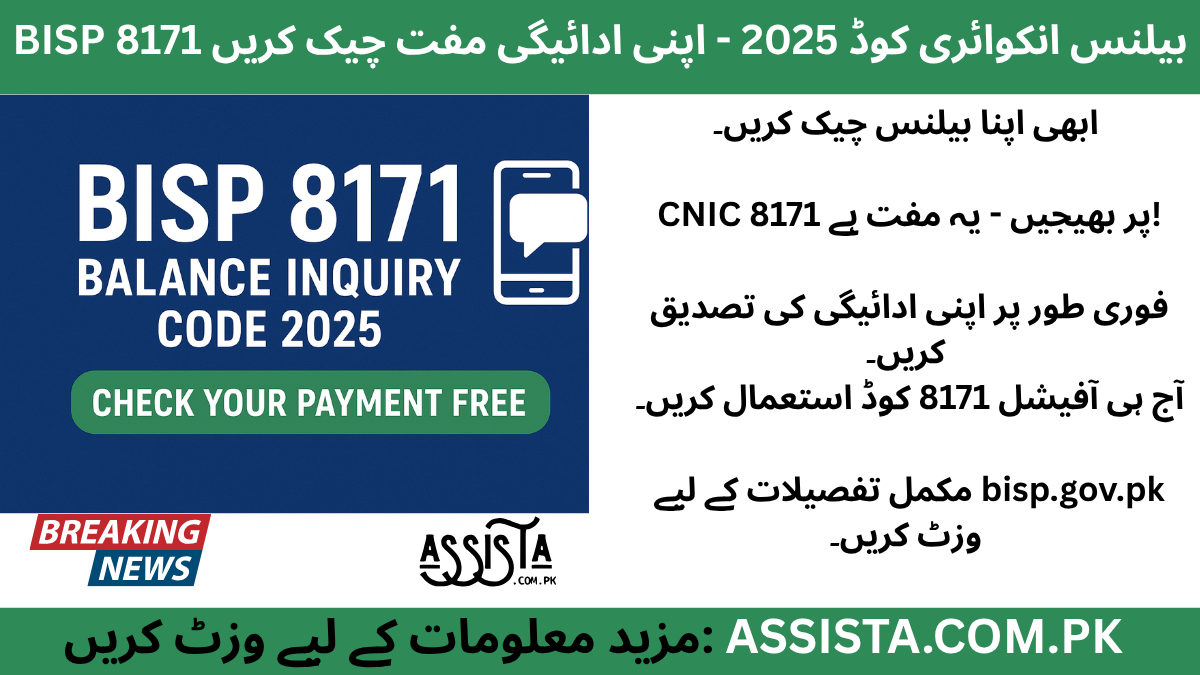
In 2025, thousands of BISP beneficiaries across Pakistan wait anxiously for that single message confirming their next installment. But many people still travel long distances or stand in crowded payment lines without even knowing whether their balance has arrived. The Benazir Income Support Programme (BISP) created a simple digital solution for this problem — the BISP 8171 Balance check & Inquiry Code. It’s a free and fast way to verify your payment status from home before visiting any center.
Checking your balance in advance saves both time and energy. Imagine travelling from a remote village to the city center, only to discover your installment hasn’t yet been transferred — frustrating, right? With the 8171 service, you can confirm the status in a few seconds, avoiding unnecessary trips and confusion.
The year 2025 has brought several updates to the BISP system. The new verification portal and SMS gateway now work together to give real-time details about the ₨13,500 installment, payment confirmation, and upcoming disbursement schedule. This feature is especially helpful for widows, senior citizens, and people in rural areas who rely on these payments for essential needs.
This balance inquiry option also reflects BISP’s larger digital-Pakistan vision. Instead of depending only on field officers or local centers, beneficiaries can now control their own access to information. The process is transparent, secure, and user-friendly — you only need your CNIC number.
If you’ve ever faced delayed payments or unclear messages from agents, this guide will explain exactly how to check your BISP 8171 payment for free, step-by-step, so you can stay updated without stress. We’ll also cover the official code, who can use it, and why verifying through SMS or portal is the safest approach.
By the end of this article, you’ll know every official method to confirm your payment status in 2025, avoid common mistakes, and report any technical issue the right way. Whether you’re checking for yourself or a family member, this guide ensures you never miss your installment again.
What Is the BISP 8171 Balance check & Inquiry Code?
The BISP 8171 Balance check & Inquiry Code is the simplest digital tool offered by the Benazir Income Support Programme to help beneficiaries instantly confirm their payment details. It’s not a complicated app or a website that needs internet — it’s a regular SMS service that works on any mobile phone across Pakistan.
When you send your CNIC number to 8171, the system automatically checks your registration record, verifies your eligibility, and sends back a short text message showing your payment status. That message includes details such as whether your latest installment is ready, the total amount transferred, and sometimes the expected date of the next release.
This system is officially managed by BISP, making it completely safe to use. The number 8171 is government-owned, so users should never rely on any alternative or unofficial codes they see online. Over the years, several fake websites and numbers have appeared claiming to provide “instant balance checks,” but only 8171 and the official BISP portal (bisp.gov.pk) are trustworthy sources.
The best part of this SMS system is accessibility. It works on basic feature phones as well as smartphones, requires no mobile data, and supports all major Pakistani networks — Jazz, Zong, Telenor, and Ufone. Even users with low mobile credit can send the message because the service is completely free of charge.
It also serves a transparency purpose. Before this feature, many beneficiaries depended on agents or shopkeepers for payment updates. That system created space for misinformation and small-scale corruption. With 8171, the control is back in the hands of the actual recipients. They can verify balances anytime without revealing CNIC details to anyone.
For example, if a widow in Sindh or Balochistan wants to confirm whether her ₨13,500 installment has been transferred, she only needs to open the SMS app on her phone, type her CNIC, and send it to 8171. Within seconds, she receives a confirmation message with the exact status. No travel, no waiting lines — just simple verification.
The same service also helps the government maintain clean records. Every SMS sent to 8171 creates a secure digital trace that confirms user engagement and reduces complaints of “missing payments.” If your CNIC is active in the system but not showing a balance, the SMS response can guide you to update your details or visit the nearest Tehsil office.
In short, the BISP 8171 Balance check & Inquiry Code is the heart of the programme’s digital verification model for 2025. It keeps the process transparent, easy, and accessible for every beneficiary — urban or rural, educated or not. That one small text message can save hours of trouble and bring peace of mind knowing that your support is secure and on its way.
Who Can Use the Balance Inquiry Code
Not everyone who sends a message to 8171 receives a payment confirmation. The service works only for registered and verified BISP beneficiaries, meaning your CNIC must already be linked to the 8171 database. Let’s explore who exactly can use it — and how to make sure you’re included.
1. Registered Beneficiaries
If you’re already part of BISP and have received payments before, your CNIC is stored in the system. You can use the inquiry code anytime to check whether your new installment has been issued. There’s no extra registration needed.
2. New Applicants Under Verification
People who recently applied for BISP through 8171 can also use the code, but instead of a balance message, they’ll receive an eligibility update. It might say “Your registration is under review” or “Eligible — payment will be transferred soon.” This helps new applicants track their progress without visiting the office.
3. Beneficiaries Updating Their Data
Many users face payment delays because of old CNIC records or family data errors. If you’ve updated your CNIC or family information in 2025, you can use the same code to confirm that your profile has been activated again. If the reply still shows “Not Eligible,” you may need to visit your local BISP Tehsil office for verification.
4. Women Head of Households
Since BISP mainly supports female beneficiaries, any woman registered as the head of a household can use the balance inquiry service for her own account. Even if the mobile number is different from the original application, the system still detects the CNIC and returns the correct status.
5. Rural and Low-Connectivity Areas
For people living in villages with limited internet coverage, this code is a lifesaver. No smartphone or data is needed. Just type and send. That’s why the service has become so popular in rural Sindh, Balochistan, and Khyber Pakhtunkhwa — the regions where digital access is still developing.
6. Family Members Helping Others
Sometimes older beneficiaries don’t use phones themselves. A son or daughter can send the CNIC from their own mobile to 8171 to check the status. The system only cares about the CNIC, not whose number sent it. That means you can check on behalf of your parents too — as long as the CNIC is active in the BISP database.
7. Those Who Lost Their Card or Old SIM
If you’ve changed your mobile SIM or lost the card you registered with, no problem. The balance inquiry code works independently of the SIM number. Simply send the message from any available phone. The system recognizes your CNIC and responds accordingly.
Using this code is not limited to a specific region or network. Every Pakistani registered under the Benazir Income Support Programme can benefit from it. But it’s important to follow a few guidelines to get accurate results every time:
- Always type your CNIC without spaces or dashes.
- Make sure your SIM has a strong network signal before sending.
- Use only the official number 8171 — not any third-party short codes.
- If you receive no reply within a few minutes, try again later or call the helpline.
Each step ensures your balance inquiry is accurate and safe. Once your eligibility is confirmed, you can move ahead to withdraw cash or verify through the online portal without confusion.
Step-by-Step Guide to Check Balance via SMS
One of the biggest strengths of the BISP 8171 system is how simple it actually is. You don’t need internet, you don’t need an app — just your mobile phone and CNIC. The process is the same everywhere in Pakistan. Follow these detailed steps carefully and you’ll get your payment status within seconds.
Step 1 – Open Your Messaging App
Go to the messaging icon on your phone — the same one you use for regular SMS. You can use any SIM: Jazz, Zong, Ufone, or Telenor. No balance is required because this service is free.
Step 2 – Type Your CNIC Number
Type your CNIC exactly as written on your card — but without any dashes or spaces.
For example, if your CNIC is 35202-1234567-1, simply type 3520212345671.
A small typing mistake can cause an invalid reply, so double-check before sending.
Step 3 – Send It to 8171
Now send this message to 8171 — the official and only number used for BISP verification. Within a few moments you’ll get a confirmation reply from the same number.
Step 4 – Read the Reply Message
The reply usually includes:
- Payment Status – whether your new installment has been credited or is still in process.
- Amount – normally ₨ 13,500 or whatever amount is announced for that cycle.
- Next Disbursement Date – sometimes given if payment hasn’t yet been released.
If your CNIC is not registered, you may receive a message like “Your record not found” or “You are not eligible.” Don’t panic — that just means your data needs re-verification.
Step 5 – Keep Record of SMS
Always keep the latest reply saved in your inbox. This is your proof of eligibility and helps at payment centers if there’s ever confusion about your installment status.
Many beneficiaries delete messages by mistake and later struggle to show proof. So, before clearing old messages, make sure you screenshot or save the latest one.
Common Example
Suppose Ayesha from Rahim Yar Khan wants to confirm her payment. She opens Messages, types 3530412345672, and sends it to 8171. Within seconds, she receives:
“Dear Beneficiary, your BISP installment of ₨ 13,500 is available. Please collect from your nearest HBL Connect center.”
That one small SMS tells her everything — no travel, no waiting lines, no guessing.
Safety Tips
- Use your own phone when possible.
- Never share your CNIC with strangers or unofficial pages.
- Always check that the reply comes from 8171 only.
This simple method has empowered millions of women in rural Pakistan who previously had to depend on agents. Now they can confirm their own payments instantly and plan their expenses with confidence.
Checking Balance Through BISP Portal
While the SMS service is perfect for people with basic phones, the online BISP portal is ideal for those who want a more detailed view of their payment history and status. Let’s go through how to use it the right way.
Step 1 – Visit the Official Website
Open your browser on mobile or desktop and go to 👉 https://www.bisp.gov.pk.
Make sure the URL is spelled correctly and starts with https:// for security. Fake websites often use similar names to trap users, so double-check the address before entering your CNIC.
Step 2 – Find the Balance Inquiry Section
On the homepage, look for the menu named “8171 Portal” or “Payment Status.” Click it and a new page will open with a simple form.
Step 3 – Enter Your CNIC
Type your 13-digit CNIC number without spaces or dashes. If the portal asks for a captcha code, type the letters or numbers shown in the image — this prevents spam entries.
Step 4 – Submit and View Results
Click on “Submit,” and within seconds you’ll see your payment details on the screen. It may show information like:
- Installment amount (₨ 13,500 or current figure)
- Payment status – “Transferred,” “Pending,” or “Processing”
- Date of disbursement
- Any pending data updates required
This online portal gives a more complete view than SMS because it connects directly to the BISP central database.
Step 5 – Download or Print Your Status
If you’re checking from a laptop, you can print the page or save it as PDF for record. It can be useful for official verification or if you’re asked to bring proof to a Tehsil office.
Why the Portal Matters
The portal helps beneficiaries track changes in their data. For example, if you recently updated your family information or address, the portal status will show “Update Pending” or “Verified.” That clarity reduces complaints and makes the whole system more transparent.
Mobile Users Tip
If you’re using a smartphone, add the portal page to your home screen. Next time, you can open it with one tap instead of typing the link again.
Data Security
BISP’s official site uses encrypted connections, so your information is safe. Never share screenshots of your payment status on social media — fraudsters can use that data to target you with scams.
Offline Access Support
For areas with weak internet, you can check via SMS first and then confirm through the portal when you get access to Wi-Fi. Both methods work hand-in-hand to keep you informed.
In short, the BISP portal is for those who want complete transparency — when the payment was sent, how much was transferred, and whether any verification is pending. It’s official, secure, and updated regularly for 2025.
Common Issues With Balance Inquiry
Even with an improved digital system, some users face small errors while checking their balance. Most of them are easy to fix once you understand what causes them. Here’s a complete breakdown of the most frequent problems and their solutions.
1. SMS Not Delivered or No Reply
Sometimes your message doesn’t go through due to temporary network failure. Wait a few minutes and try again. If it still fails, restart your phone or try another network. Always ensure you typed 8171 correctly.
2. Incorrect CNIC Format
A single mistyped digit can break the query. Double-check the 13 digits and make sure there are no spaces or hyphens. It’s better to copy it from your CNIC card directly rather than from memory.
3. CNIC Not Linked With BISP
If you get a message like “Record not found,” that means your CNIC is not active in the database. Visit the nearest BISP office for verification or send your CNIC again after updating your record.
4. Portal Downtime or High Traffic
The BISP website can be busy during new payment releases. If it loads slowly or shows an error, wait for a less crowded time — early morning or late night usually works best.
5. Using Fake Websites or Apps
Scammers create fake links with names similar to “bisp-check.com” or “8171bisp.pk.” These sites are not official and may steal your CNIC. Always use only https://www.bisp.gov.pk and the SMS code 8171.
6. Old Mobile Numbers
If you’ve changed your SIM recently, update it with BISP records. Otherwise, some notifications might still go to your previous number. Visit your Tehsil office to correct this.
7. No Response Even After Multiple Tries
In rare cases, technical glitches delay SMS replies nationwide. BISP usually resolves this within a few hours. Keep checking official announcements on their Facebook page or helpline.
8. Portal Shows Different Data Than SMS
Sometimes the portal and SMS systems update at slightly different times. If the portal shows “Pending” but SMS says “Available,” wait 24 hours — it will sync automatically.
9. Payment Received but Not Showing
If you’ve collected cash yet the portal still shows “Pending,” don’t worry. It usually takes a day or two for the record to update. Keep your receipt as proof in case you’re asked later.
10. Wrong Information in Reply
If your SMS shows someone else’s name or details, report immediately to the 8171 helpline and avoid sharing further data. It may be a system mix-up that needs manual correction.
Pro-Tip: Whenever you face issues, don’t rely on random Facebook pages or WhatsApp groups for help. Go to official sources only. BISP never asks for money or codes to “fix” balance problems. All services are completely free and government-owned.
Tips to Ensure Accurate Balance Checking
Checking your balance may sound simple, but small mistakes often create unnecessary confusion. Follow these practical tips to make sure your BISP 8171 Balance check & Inquiry 2025 results are always correct and reliable.
1. Use Only the Official Number
The official and only SMS code is 8171. Any other number or app claiming to check BISP balance is fake. Messages from unauthorized numbers can misuse your CNIC. Always double-check the sender before responding.
2. Keep Your CNIC Updated
Expired or replaced CNICs can cause “Record not found” errors. Visit NADRA or your nearest BISP Tehsil office if your CNIC was renewed in 2025. Updated data ensures your payment record stays active.
3. Maintain the Same Mobile Number
Each CNIC is linked with a contact number in the BISP database. If you’ve changed your SIM, inform your local office so they can update it. Otherwise, you might miss official SMS alerts about new installments.
4. Don’t Depend on Agents
Some local agents still offer “checking services” for small fees. Avoid them completely. The system is free and designed for beneficiaries to handle themselves. Never share your CNIC or OTP with strangers.
5. Use Portal + SMS Together
To confirm accuracy, use both methods: first check through 8171 SMS, then verify through the BISP portal. Matching results confirm your record is error-free.
6. Try During Low-Traffic Hours
Early morning or late evening often gives faster responses when the server is less busy. During national disbursement weeks, the system can temporarily slow down.
7. Save Every Confirmation
Take screenshots of SMS replies or portal pages. These serve as digital proof if any dispute occurs about whether payment was transferred or not.
8. Verify Network Signals
A weak network can delay your SMS. If you live in a rural area, step outside or move near a signal hotspot before sending.
9. Clear Old App Cache
For smartphone users, clearing browser cache or old cookies helps the BISP portal load faster and prevents outdated data from showing.
10. Stay Alert for Scams
Official BISP staff never call or message from personal numbers. If anyone asks for payment to “unlock” your balance, report it immediately through the 8171 helpline.
These tips might sound small, but together they protect your privacy and keep the balance inquiry system smooth for everyone.
How to Report Errors in Balance Inquiry
Even the best digital systems face technical issues once in a while. The good news is that BISP has made it easy to report and fix errors quickly — no need for stress or repeated visits.
Step 1 – Use the 8171 Helpline
Dial 8171 directly from any network. You’ll reach the BISP support center. Provide your CNIC and explain the issue briefly, such as:
“My balance shows zero although I received an SMS,”
or
“Portal shows not eligible, but I’m already registered.”
The helpline officer can verify your record and escalate it to the technical department if needed.
Step 2 – Visit Your Nearest Tehsil Office
If the issue needs physical verification (like incorrect CNIC or family record mismatch), visit the BISP Tehsil office. Carry your CNIC, any SMS proofs, and—if available—your BISP card or previous receipts.
At the office, you can request:
- Correction of CNIC or mobile number
- Re-activation of blocked profile
- Manual verification if system fails to detect record
Step 3 – Online Complaint Portal
BISP occasionally opens online complaint forms on their official site during payment cycles. Keep an eye on announcements at bisp.gov.pk. These forms allow you to register issues without leaving home.
Step 4 – Social-Media Verification
If you follow BISP’s verified Facebook or X (Twitter) accounts, you can message them privately (not publicly) for guidance. But remember — never share CNIC numbers in comments.
Common Errors That Can Be Fixed
- CNIC Not Found – Usually a database sync delay.
- Wrong Name or District – Caused by mismatched NADRA data.
- Payment Not Showing – Occurs when system hasn’t refreshed after disbursement.
- Duplicate Family Record – Fixed by family re-verification at Tehsil office.
Keep Receipts Safe
Whenever you collect a payment, save the printed receipt. It’s proof that your installment was received, and it helps if your record doesn’t update online.
Follow-Up Timeline
Most reported issues are resolved within 3–5 working days. If it takes longer, call the helpline again and note down your complaint reference number.
By following this official route, your record stays authentic, your data secure, and future payments smooth.
Benefits of Using the Balance Inquiry Code
The BISP 8171 Balance check & Inquiry Code is more than just a convenience tool — it’s a lifeline that connects millions of low-income families to transparency and financial control.
1. Saves Time and Travel
Before 8171, beneficiaries had to visit payment centers repeatedly just to confirm availability. Now one message eliminates unnecessary trips.
2. Completely Free
Unlike mobile apps or agent services, 8171 SMS is 100% free across all networks. It’s part of the government’s commitment to accessible welfare.
3. Empowers Women
Most BISP recipients are women. This code allows them to check payments privately, without depending on anyone else, strengthening financial independence.
4. Increases Transparency
Every inquiry is digitally recorded, reducing manipulation and fraud. Beneficiaries can now see real-time updates instead of depending on verbal information.
5. Helps Financial Planning
Knowing when your next ₨ 13,500 installment arrives helps you plan household expenses — groceries, school fees, or medical bills — more effectively.
6. Reduces Queue Pressure
When people know their payment status in advance, they visit centers only when necessary, keeping lines shorter and the process smoother.
7. Encourages Digital Awareness
Using 8171 and the online portal introduces rural communities to digital tools, promoting a more connected Pakistan.
8. Works Anytime, Anywhere
No holidays, no timing limits — you can check balance 24/7 from any corner of the country.
In short, it’s not just a code — it’s a bridge connecting trust, technology, and relief directly into people’s hands.
Final Advice – Monitor Monthly for Smooth Payments
If you truly want a stress-free BISP experience, make a small habit: check your balance once every month. It keeps you aware of updates, policy changes, and possible verification needs before they become problems.
- Check Before Every Cycle
Usually, new installments release quarterly, but delays can happen. Send your CNIC to 8171 a few days before the expected date to confirm availability. - Read Every Official SMS Carefully
Many beneficiaries ignore follow-up messages that say “Update your data” or “Visit your office.” Missing these leads to disqualification. Read every text from 8171 attentively. - Keep Your CNIC Safe and Valid
If your CNIC expires, update it immediately at NADRA. BISP payments pause for invalid CNICs until renewal. - Use the Portal Once a Month
The portal sometimes posts important updates, such as payment schedule changes or verification campaigns. Checking regularly keeps you informed. - Report Changes in Family Status
If a family member’s income or marital status changes, report it to your Tehsil office. Keeping data current avoids future disqualification. - Avoid Middlemen
Remember, BISP services are completely free. No one is authorized to charge you for “fast balance checks” or “extra benefits.” Always go through official channels. - Stay Informed Through Media
Follow BISP’s verified pages for latest policy decisions, new programs, or portal updates. Misinformation spreads fast; always confirm through official links. - Educate Others
Teach your neighbors or relatives how to use the 8171 code. Spreading correct information strengthens the whole community.
Checking your balance regularly ensures that you remain eligible, updated, and ready for each payment cycle without surprises. The system was designed to make your life easier — you just have to use it consistently.
FAQs – BISP 8171 Balance check & Inquiry 2025
💬 Top 9 FAQs
1. Q1: What is the official BISP balance inquiry code?
A: The official and only code is 8171 — managed by BISP itself.
2. Q2: How do I check my payment through SMS?
A: Type your CNIC (13 digits, no dashes) and send to 8171. You’ll get an instant reply showing your installment status.
3. Q3: Is this service free?
A: Yes, completely free across all Pakistani mobile networks.
4. Q4: Can I use the online portal instead?
A: Yes. Visit bisp.gov.pk and enter your CNIC under “Payment Status.”
5. Q5: What if I don’t receive an SMS reply?
A: Check network coverage, wait a few minutes, and try again. If the issue continues, call 8171.
6. Q6: Who is eligible to use the code?
A: Only registered BISP beneficiaries with active CNIC records.
7. Q7: How often should I check my balance?
A: Once every month or before each installment cycle.
8. Q8: Can I check for someone else?
A: Yes, if you have their CNIC number, you can send it from any phone.
9. Q9: Where do I report wrong information?
A: Contact the 8171 helpline or visit your nearest Tehsil office.
Still Confused or Need Help?
If you’re unsure about your eligibility, registration process, or want direct updates from our team — join our official WhatsApp Channel where we share all latest BISP 8171 and government scheme updates step-by-step.
Tap the button below to join our verified WhatsApp channel.
💬 Join WhatsApp ChannelStay updated — we’ll guide you until your BISP or government application process is successfully completed.
Disclaimer / اطلاع برائے عوام
English: This article has been prepared by Saleh Ashraf for public awareness regarding BISP 8171 Balance check & Inquiry Code 2025 – Check Your Payment Free & Enjoy Hassle-Free Access. It is not officially affiliated with the Benazir Income Support Programme (BISP) or any government department. For accurate verification, always use the official BISP portal or call the verified helpline 0800-26477.
Roman Urdu (اہم نوٹ): Yeh maloomat sirf public awareness ke liye hai. Is website ka BISP ya kisi hukoomati idaray se koi ta’alluq nahi hai. Apni asal tasdeeq sirf 8171.bisp.gov.pk ya BISP helpline par karein. Kisi bhi WhatsApp message, 03xx number ya fake link par apna CNIC ya personal data share na karein.
Report Fraud: Agar aapko koi suspicious call, SMS, ya fake app mile jo BISP 8171 ka dawa kare, report karein: PTA Complaint Portal, call FIA Cyber Crime (1991), ya apne qareebi BISP Tehsil Office par jaaen.
🔗 Visit Official BISP Website
Saleh Ashraf
Founder of Assista.com.pk
Hi, I’m Saleh Ashraf — a passionate blogger, researcher, and digital educator with over 7 years of experience in blogging, online awareness, and government program analysis. I started Assista.com.pk to help people across Pakistan better understand and benefit from the BISP 8171 Program and other national welfare schemes.
My goal is simple: to make sure every visitor gets clear, verified, and step-by-step guidance about registrations, payments, and updates related to government initiatives. With a strong background in research and content writing, I ensure every article published here is reliable, practical, and genuinely useful for the public.
Beyond BISP 8171, I also share updates on Ehsaas Program, utility relief schemes, and government financial support systems, empowering families to access the help they deserve with confidence and clarity.
📍 Based in Pakistan
💼 Government Awareness Blogger | BISP Program Researcher
🔔 Your trusted source for verified welfare updates and guidance across Pakistan.

2 thoughts on “BISP 8171 Balance check & Inquiry Code 2025 – Check Your Payment Free & Enjoy Hassle-Free Access”