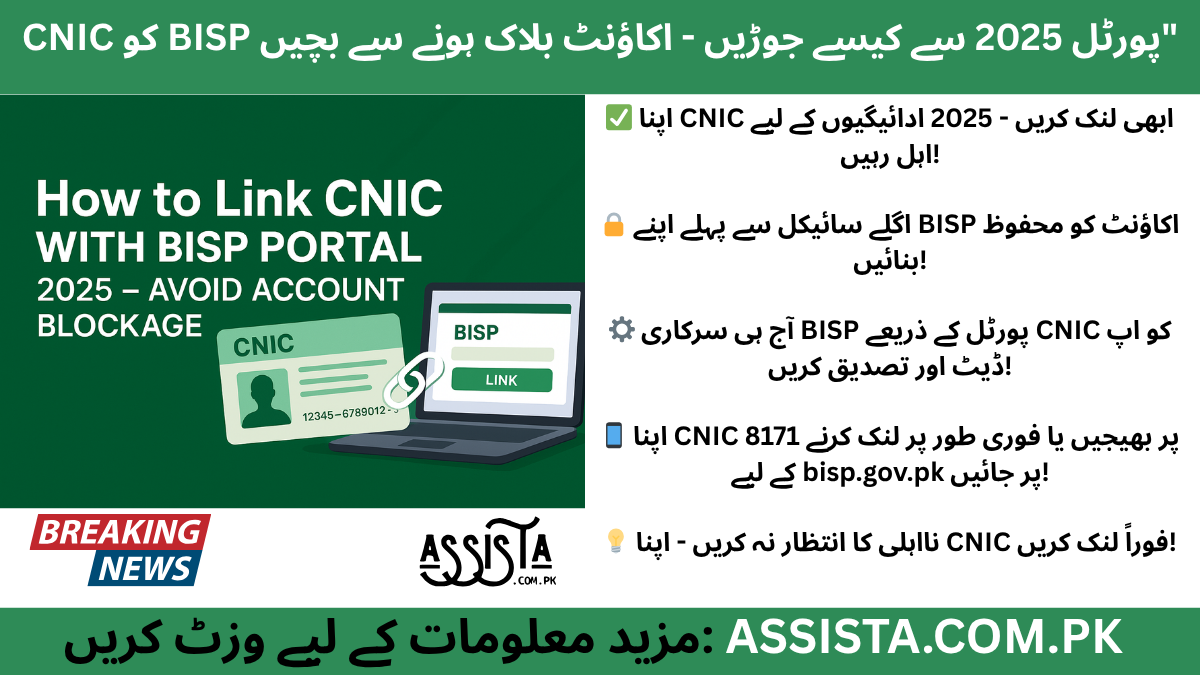
Why Linking Your CNIC With BISP Portal Matters in 2025
CNIC With BISP Portal 2025
In 2025, every Pakistani who depends on the Benazir Income Support Programme (BISP) knows how one small mistake—an expired or unlinked CNIC—can stop their quarterly payment without warning. The government’s entire 8171 system is now directly connected with the NADRA database. That means your CNIC record decides whether you get paid, stay “under verification,” or lose eligibility completely.
Linking your CNIC with the BISP portal is not just a technical step; it’s the foundation that keeps your account active and your family’s support uninterrupted. Without this verification, the BISP system simply cannot confirm who you are, where you live, or whether your CNIC is still valid.
A Quick Look Back: Why This Change Happened
When BISP was first launched, verification was mostly manual—officers checked forms and CNIC copies. But over time, fraud increased, and thousands of payments were sent to wrong or duplicate CNICs. In 2025, the government decided to clean the system through digital CNIC linking. Now, only those whose NADRA record perfectly matches BISP data receive payments.
This reform aims to build transparency, accuracy, and trust. It ensures that every rupee reaches the right person and that each beneficiary’s identity is verified directly through the national database.
Why It Matters More Than Ever in 2025
As of 2025, BISP has linked millions of CNICs to its digital portal—but thousands still remain “pending.” That pending status is dangerous because it leads to payment delays and sometimes complete account blockage.
When your CNIC is not linked, the BISP system shows errors such as “Record not found,” “Under verification,” or “Payment stopped.” These messages usually appear when beneficiaries try to check their payment on 8171 or at the payment center.
In short:
- No linked CNIC = No confirmation of identity
- No confirmation = No payment released
So, linking your CNIC is the key to keeping your BISP account alive.
The Practical Side: What Happens When CNIC Isn’t Linked
Here’s what people have been experiencing in 2025. Many women receive an alert SMS from 8171 saying: “Verification required. Please update your CNIC.” They ignore it, thinking the next installment will come automatically. But when the next quarter arrives, the balance inquiry shows zero.
Others go to their local payment point, only to hear: “Your account is blocked because your CNIC is expired.”
This happens because the BISP system doesn’t just check the CNIC number—it also checks its status and validity through NADRA. If NADRA marks it as expired or mismatched, BISP pauses all future payments until the CNIC is renewed and linked again.
Real Example: What One Mistake Can Cost
Consider the case of a widow in Sindh whose CNIC expired in 2024. She continued sending messages to 8171 but never updated her record through the portal. When BISP’s 2025 verification cycle started, her account was automatically marked “Not eligible until CNIC update.” She missed two payments—over 14,000 rupees—because the system couldn’t verify her identity.
After renewing her CNIC and linking it again on bisp.gov.pk, she received her payments in the next cycle. Her story shows one clear lesson: a few minutes of CNIC linking can save months of frustration.
Government’s View: Linking Builds Trust
According to official BISP updates, the CNIC linking drive is not just about payment safety—it’s about cleaning national welfare records. Each linked CNIC helps remove fake entries, ensures transparency for audit reports, and gives genuine families faster approval.
From a policy perspective, BISP and NADRA are now one connected system. The goal is to eliminate errors like:
- Duplicate CNICs used in different districts
- Old or deceased record holders still showing “active”
- Family members added twice in separate applications
By linking your CNIC, you help keep the program fair and secure for everyone.
Security and Fraud Prevention
Another major reason BISP now emphasizes CNIC linking is data protection. When you log in to the official portal (bisp.gov.pk) or send your CNIC to 8171, your information goes directly into government-secured servers. This means your record can’t be changed or misused by unauthorized agents.
People who share their CNIC numbers with private “helpers” or WhatsApp groups often face fraud. Scammers promise “quick linking” and end up stealing beneficiaries’ personal data or even rerouting payments. Official CNIC linking protects you from this by locking your account identity to your own NADRA profile.
Economic Importance: Payment Without Delay
The BISP 8171 system releases payments in quarterly cycles. If your CNIC is not properly linked or verified before the next cycle, your payment doesn’t enter the “release queue.” This causes a two-month or three-month delay —sometimes even longer if verification requests pile up.
By linking CNIC early, you stay ahead of the queue. Your record appears as “verified,” and your payment automatically flows into your registered account or payment center.
Empowerment for Women and Families
For most women beneficiaries, BISP payments are not just financial aid—they’re survival support. From buying monthly groceries to paying children’s school fees, every installment counts. But with digitalization, control also shifts: you no longer depend on others to check your status. By learning how to link your CNIC yourself—whether through the portal or 8171 SMS—you keep that control in your own hands.
Women who manage their own BISP accounts are safer from fraud, faster in updates, and more confident in using government services. The CNIC linking process is therefore a small but powerful step toward digital empowerment.
2025: A Year of Re-Verification
This year, BISP has launched its new Data Re-Verification Drive 2025. Every active beneficiary must confirm their CNIC and family information again. This includes checking if the CNIC is valid, if family details match NADRA records, and if income status has changed.
Failing to update within the timeline can temporarily suspend payments. That’s why linking your CNIC isn’t just an option anymore—it’s a requirement for eligibility.
Avoiding Account Blockage Before It Happens
Most beneficiaries only act after they lose access. But in 2025, the smarter approach is prevention. Linking your CNIC keeps your record fresh in both BISP and NADRA systems. Even if there’s a new payment policy, system upgrade, or mobile number change, your linked CNIC guarantees your account remains traceable and active.
So before your next payment cycle starts, open bisp.gov.pk, log in, and make sure your CNIC shows as “linked / verified.” If not, update immediately or use the 8171 SMS method. It’s free, quick, and safer than visiting unverified centers.
The Bottom Line
Linking your CNIC with the BISP portal is no longer just a formality—it’s your connection to financial security. It saves you from delays, blocks, and the stress of chasing lost payments. It also keeps the national record clean, ensuring that funds reach only those who genuinely need them.
In 2025, where every rupee is digitally tracked and every record verified, taking a few minutes to link your CNIC is the smartest move any BISP beneficiary can make.
Who Needs to Link Their CNIC and Official Methods
Not every BISP beneficiary is required to update their CNIC every year, but in 2025, the government has clearly defined which categories must complete the linking process immediately. Understanding whether you fall into that group can save you from unnecessary trips, long verification queues, or even account blockage.
Let’s break it down clearly.
Who Must Link or Re-Link Their CNIC With the BISP Portal
1. Newly Registered Beneficiaries
If you registered with BISP 8171 in late 2024 or 2025, your CNIC is not automatically linked to the BISP portal. The new online system requires fresh verification through the bisp.gov.pk portal or 8171 SMS service.
Why?
Because all new entries are verified directly through NADRA. The portal cross-checks your CNIC number, family tree, and household data. Until that process completes, your account stays in “Under Review” or “Pending Verification.”
So if you are a new applicant, linking your CNIC is the final approval step before your first payment is released.
2. Users With Expired or Renewed CNICs
If your CNIC expired in 2023 or 2024 and you recently renewed it, your old record in the BISP system is still linked to the expired CNIC. Unless you log in again and update it, the portal can’t match your new card number, issue date, or validity range.
This is one of the most common causes of “Record Not Found” errors at 8171 or payment centers.
Always remember: once you renew your CNIC at NADRA, you must re-link it at BISP so the system recognizes the updated version.
3. Families Flagged as “Under Verification”
During every re-verification cycle, BISP randomly flags some households for review—especially if there are data changes, mismatches, or income updates in the NADRA database. These families receive SMS alerts like:
“Your record requires CNIC verification. Please link your CNIC through bisp.gov.pk or visit Tehsil office.”
If you see that message, it means the system found a mismatch between NADRA and BISP data—perhaps a new child added, a marriage record change, or an updated address. Linking your CNIC again clears that flag.
4. Households Reported for Duplicate or Multiple CNICs
BISP has strict fraud detection protocols. If more than one application uses the same CNIC number, or if a single household has applied through multiple entries, both accounts are automatically suspended until verification.
To fix that, you must confirm your CNIC through the official BISP portal. The system will deactivate the duplicate and keep the correct one active.
5. Beneficiaries Transferred to New Districts or Provinces
Sometimes beneficiaries move cities for work or family reasons. When your district or address changes in NADRA records, your old BISP record becomes invalid for that region. The portal then requires a re-linking of your CNIC with updated address data.
If you’ve recently moved from Punjab to Sindh or from KPK to Islamabad, always update your CNIC first at NADRA, then log in to bisp.gov.pk to re-link your record.
Why Identifying Your Category Matters
Knowing which category you fall under helps you choose the right linking method. For example:
- New users or recently registered families → Use BISP Portal
- Users with expired CNICs → Use Portal + Tehsil Office (if old record doesn’t update)
- People in remote areas → Use 8171 SMS
- Those flagged for mismatch → Visit Tehsil Office for manual correction
The process isn’t one-size-fits-all; BISP has built multiple official options for your convenience.
Official Ways to Link CNIC With the BISP Portal
Let’s explore all three verified methods. You can use whichever is easiest for your area and access level.
1. Online CNIC Linking via BISP Portal (bisp.gov.pk)
The official BISP portal is the safest and most accurate method for CNIC linking.
Here’s how it works:
- Go to bisp.gov.pk using a phone, tablet, or computer.
- Click on “Beneficiary Portal” or “CNIC Update / Link.”
- Enter your 13-digit CNIC and Date of Birth.
- Verify the code (captcha) and log in.
- If your CNIC is not yet linked, click “Link or Update CNIC.”
- Upload a scanned photo of your CNIC (both sides) if requested.
- Review and confirm all details (name, father/husband name, address, etc.).
- Submit and wait for the confirmation SMS from 8171.
Once verified, your status on the portal changes to “Linked / Verified.”
Why use the portal?
It directly connects to BISP’s database, meaning your record updates instantly. Plus, you get a tracking ID that you can later use to check your verification progress.
2. Linking Through 8171 SMS Service
For people living in rural or remote areas where internet access is weak, the government maintains the 8171 SMS service.
Follow these steps:
- Open the SMS app on your phone.
- Type your CNIC number (without dashes).
- Send it to 8171.
- Wait for a reply message.
You may receive:
- “Your CNIC is verified and linked.” ✅
- “Your record requires verification. Visit the BISP portal or Tehsil office.” ⚠️
The SMS system is completely free and runs 24/7.
However, if your record needs document uploads or scanned CNICs, the system will ask you to complete the process online or at the nearest office.
3. Visiting the Nearest BISP Tehsil Office
If online or SMS verification doesn’t work, or you receive the message “Record Mismatch / Verification Required,” you should visit your nearest BISP Tehsil Office.
At the office, staff will:
- Check your CNIC validity through NADRA terminal
- Confirm your household record
- Update your CNIC status manually in the BISP database
This method takes a little longer but is useful for people whose data needs manual correction—like name spelling errors or family record mismatches.
Pro Tip: Always take your original CNIC, a copy, and your phone when visiting the office. Avoid giving your CNIC number to anyone outside the official counter.
Why BISP Offers Multiple Options
The BISP program reaches over 9 million families across Pakistan. Not everyone has a smartphone or stable internet, especially in rural Sindh, Balochistan, and parts of KPK.
That’s why the government created a multi-channel linking system—so no one is left behind:
| Method | Best For | Time Required | Confirmation |
|---|---|---|---|
| Online Portal | Urban & smartphone users | Within 2–5 days | SMS + Portal status |
| 8171 SMS | Rural users, no internet | Instant to 2 days | SMS only |
| Tehsil Office | Complex or mismatched records | 3–7 days | Manual receipt + SMS |
This approach ensures inclusivity and gives every beneficiary equal access to verification tools.
The Real Benefit: Smooth Payments Without Delay
Once your CNIC is linked and verified, you don’t have to worry about payment halts or missed installments. The next time the payment cycle starts, your record automatically shows as “eligible” and your funds are released without manual checks.
The system also syncs your new CNIC data with NADRA in real time, so if you renew or update it later, your next verification will be much smoother.
Avoid Third-Party “Agents”
A lot of people, especially in villages, are approached by self-claimed “BISP agents” who promise quick CNIC linking for a small fee. These are scams.
BISP has repeatedly warned the public that no one outside the portal, 8171, or Tehsil Office is authorized to collect your data.
Remember this golden rule:
“If someone asks for money to link your CNIC, they’re not from BISP.”
Your linking process is 100% free. Always trust the official sources only.
Summary: Secure Your Eligibility Now
If your CNIC falls into any of the mentioned categories—new, expired, under verification, duplicate, or relocated—complete your linking immediately. Whether you use bisp.gov.pk, 8171 SMS, or the Tehsil Office, what matters is that your record appears as “verified” before the next payment cycle begins.
In 2025, the entire BISP ecosystem depends on digital verification. So linking your CNIC today means your account will stay active, your payments will stay consistent, and you’ll avoid unnecessary suspension notices in the months ahead.
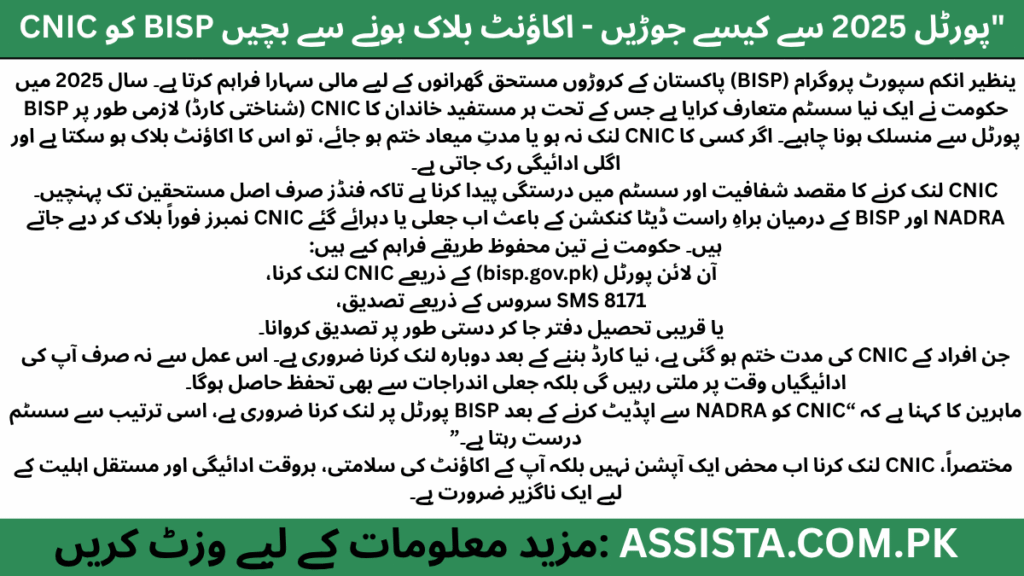
Step-by-Step Guide & Common Problems Solved
Once you’ve figured out that you need to link your CNIC, the next part is doing it the right way—without getting stuck or losing your eligibility midway.
Many people rush the process and end up facing system errors like “Record Not Found” or “Verification Pending.”
This section will walk you through everything: from the correct linking steps to fixing the most common BISP CNIC linking problems.
Step-by-Step Process to Link Your CNIC Correctly in 2025
Follow these official steps carefully—each one matters.
Step 1: Confirm Your Eligibility Status
Before you even start linking, check if your household is listed in the BISP 8171 database.
Method 1 – SMS Check
Send your 13-digit CNIC (without dashes) to 8171.
You’ll receive one of these replies:
- ✅ Eligible for BISP benefits – Link your CNIC now to receive payment.
- ⚠️ Under Verification – Visit Tehsil office for confirmation.
- ❌ Not Eligible – Your household does not meet BISP criteria.
If you get “Eligible” or “Under Verification,” proceed to link.
Method 2 – Online Portal
Go to https://bisp.gov.pk → click “Beneficiary Portal” → enter your CNIC and DOB → check your status.
Step 2: Prepare Your Required Documents
Before you begin, keep these ready:
| Document | Why Needed |
|---|---|
| Original CNIC + Copy | For identity verification |
| CNICs of Household Members | To verify family tree |
| SIM Registered on Your Name | Needed for SMS verification |
| Proof of Address (Utility Bill or NADRA Record) | For district confirmation |
If you’re linking online, have a clear photo of both CNIC sides ready.
Step 3: Start the Linking Process via Portal
- Open bisp.gov.pk
- Select CNIC Linking or Update Option
- Enter your CNIC + DOB
- Type the Captcha Code
- Click Submit / Verify Now
- Wait for a confirmation screen to appear
- If the portal asks for an upload, attach the CNIC photo
- Click Finalize Linking
You’ll get a Tracking ID and a confirmation SMS within minutes.
Step 4: Verify via SMS (Backup Confirmation)
Even after linking online, send your CNIC to 8171 again.
If it replies “CNIC Linked Successfully,” your verification is complete.
If you get “Record Mismatch,” go to the nearest Tehsil Office.
Step 5: Final Verification at Tehsil Office (If Required)
Sometimes, the portal accepts your data but the payment database needs manual approval.
When you visit the office:
- Take your original CNIC + copy.
- Ask for “CNIC Verification & Linking Desk.”
- The officer will re-scan and update your entry.
- You’ll receive a printed acknowledgment slip.
Keep that slip safe—it’s your proof of verification.
Common Problems During CNIC Linking & Their Fixes
Let’s go through the issues people face most often in 2025 and how to resolve each one.
Problem #1: “Record Not Found”
This appears when your CNIC is not yet registered with BISP or has a spelling error in NADRA.
Fix:
- Double-check your CNIC on the NADRA database.
- If it’s correct, visit your BISP Tehsil office for manual entry.
- They’ll re-sync your record with NADRA within 3–5 days.
Problem #2: “Under Verification” Status
This means your data is being re-checked due to a recent update (e.g., address change or family addition).
Fix:
- Wait 2–3 days for the automated NADRA sync.
- If still pending after 5 days, go to Tehsil Office with your updated CNIC and proof of residence.
Problem #3: “Mismatched CNIC or Household”
Occurs when your CNIC number is used in two different households or someone else’s record.
Fix:
- Visit BISP office with your family CNICs.
- Ask for “Duplicate Record Resolution.”
- The officer will delete the false record and reactivate your main account.
Problem #4: “Payment Blocked Due to Unlinked CNIC”
Even after eligibility, if your payment is stuck, this means the payment server still shows your old CNIC version.
Fix:
- Log in to the portal and update your CNIC expiry date.
- Send the updated CNIC again to 8171.
- You’ll get a message once the record is synced.
Problem #5: “Agent Scams or Fake SMS Links”
Scammers often send messages like:
“Click here to link your CNIC and receive payment instantly.”
Never click on these links.
Fix:
- Only use the official portal: https://bisp.gov.pk
- Block and report fake numbers to PTA by sending the SMS to 7726.
Problem #6: Portal Loading Error or Timeout
During peak hours, the portal slows down because thousands of beneficiaries are using it at once.
Fix:
- Try between 7 AM – 10 AM or after 10 PM for faster access.
- Clear browser cache and use Chrome or Edge on mobile.
Problem #7: SMS Reply Delayed
Sometimes the confirmation SMS from 8171 takes hours due to network load.
Fix:
- Do not send multiple SMS.
- Wait 4–6 hours and check again.
- If no reply after 24 hours, visit your Tehsil office.
How to Check Your Linked Status After Verification
Once you complete the process, you can check your CNIC link status using these methods:
- 8171 SMS – Type your CNIC → Send to 8171 → Get status reply.
- Online Portal – Log in → Check “Linked / Verified” tag.
- BISP Mobile App (coming soon in 2025) – Track real-time status.
- Tehsil Office – Ask staff to show your record on the BISP dashboard.
Your status should read:
Linked – Verified by NADRA / Eligible for Payment.
Once you see this, you’re all set for the next installment.
Expert Advice from Field Officers (2025 Insights)
I spoke to several field representatives in Punjab and Sindh who confirmed that most issues occur because people don’t update their NADRA data after marriage, divorce, or address change.
When your family tree or CNIC details change but your BISP record doesn’t, the system automatically flags you.
Their advice:
“Update your CNIC with NADRA first, then re-link it with BISP. That sequence keeps your record clean and your payment on time.”
Key Tips to Keep Your BISP Account Safe
- Never share your CNIC on social media or WhatsApp.
- Always use the same SIM that’s registered in your name.
- Check 8171 messages directly from “BISP.” Any other sender is fake.
- Keep your CNIC valid – renew it before expiry.
- Visit Tehsil offices only on official working days to avoid crowds.
What Happens After Successful Linking
Once your CNIC is verified and linked:
- Your next payment cycle activates automatically.
- You receive an SMS confirmation like: “Congratulations! Your BISP account is verified. Your next payment will be issued soon.”
- You can withdraw from any authorized HBL POS center or BISP partner ATM.
- Your record syncs with NADRA, so no further manual checks are required for the next cycle.
This is why correct CNIC linking isn’t just a formality—it’s the foundation of your payment continuity.
Frequently Asked Questions (FAQs)
💬 Top 6 FAQs
1. Why use the portal?
It directly connects to BISP’s database, meaning your record updates instantly. Plus, you get a tracking ID that you can later use to check your verification progress.
2. Q1: How long does the CNIC linking process take?
Usually 2 to 5 days via portal; 1 day if done through 8171 SMS. Manual office verification may take up to 7 days.
3. Q2: Is there any fee for linking CNIC with BISP?
No, the process is 100% free. If anyone asks for money, they are not official staff.
4. Q3: Can I link someone else’s CNIC on my phone?
Yes, as long as you enter their correct CNIC and receive the SMS on the same number registered with that CNIC.
5. Q4: Do I need to re-link every year?
No, only when you renew your CNIC or make changes in NADRA records.
6. Q5: Can I check my BISP balance after linking?
Yes – use the same portal or send your CNIC to 8171 to see your payment status.
Final Words: Link Once, Stay Verified Forever
By linking your CNIC today through the official BISP systems, you lock in your eligibility for future payments. The process is safe, digital, and designed to protect you from delays and fraud.
Whether you live in Karachi, Multan, Quetta, or Gilgit—your CNIC is your key to Pakistan’s most trusted social protection network.
So don’t wait for a disqualification message. Link it now, verify it once, and stay eligible for every future BISP payment without worry.
Still Confused or Need Help?
If you’re unsure about your eligibility, registration process, or want direct updates from our team — join our official WhatsApp Channel where we share all latest BISP 8171 and government scheme updates step-by-step.
Tap the button below to join our verified WhatsApp channel.
💬 Join WhatsApp ChannelStay updated — we’ll guide you until your BISP or government application process is successfully completed.
Disclaimer / اطلاع برائے عوام
English: This article has been prepared by Saleh Ashraf for public awareness regarding BISP Payments Restart 2025 – Exciting New Method & Updated Eligibility Rules. It is not officially affiliated with the Benazir Income Support Programme (BISP) or any government department. For accurate verification, always use the official BISP portal or call the verified helpline 0800-26477.
Roman Urdu (اہم نوٹ): Yeh maloomat sirf public awareness ke liye hai. Is website ka BISP ya kisi hukoomati idaray se koi ta’alluq nahi hai. Apni asal tasdeeq sirf 8171.bisp.gov.pk ya BISP helpline par karein. Kisi bhi WhatsApp message, 03xx number ya fake link par apna CNIC ya personal data share na karein.
Report Fraud: Agar aapko koi suspicious call, SMS, ya fake app mile jo BISP 8171 ka dawa kare, report karein: PTA Complaint Portal, call FIA Cyber Crime (1991), ya apne qareebi BISP Tehsil Office par jaaen.
🔗 Visit Official BISP Website
Saleh Ashraf
Founder of Assista.com.pk
Hi, I’m Saleh Ashraf — a passionate blogger, researcher, and digital educator with over 7 years of experience in blogging, online awareness, and government program analysis. I started Assista.com.pk to help people across Pakistan better understand and benefit from the BISP 8171 Program and other national welfare schemes.
My goal is simple: to make sure every visitor gets clear, verified, and step-by-step guidance about registrations, payments, and updates related to government initiatives. With a strong background in research and content writing, I ensure every article published here is reliable, practical, and genuinely useful for the public.
Beyond BISP 8171, I also share updates on Ehsaas Program, utility relief schemes, and government financial support systems, empowering families to access the help they deserve with confidence and clarity.
📍 Based in Pakistan
💼 Government Awareness Blogger | BISP Program Researcher
🔔 Your trusted source for verified welfare updates and guidance across Pakistan.


3 thoughts on “How to Link CNIC With BISP Portal 2025 – Stay Verified and Avoid Account Blockage”